
Runway Lip Sync
Runway Lip Sync is a feature of Runway that can synchronize the speeches of their audio clips or text scripts to match any character’s facial expressions. This enables you to create realistic AI videos with characters talking or conversing. It's similar to Runway's Act One feature, but the latter is more powerful and for advanced use cases.
Key Features of Runway Lip Sync
Text-to-Speech: You can input scripts featuring speaker dialogue for characters to use.
Sync with Audio: Upload recorded dialogue files of up to 40 seconds.
Multi-Face Scenes: Select up to 10 multiple characters for separate dialogues.
Stylize Speech: Access custom AI voice models to achieve diverse audio results.
Text-to-Speech
Runway Lip Sync supports text-to-speech scripts of up to 600 characters per speaker dialogue. This gives you complete freedom to write out unique character dialogue that fits your precise needs and requirements.
The following are some sample lip synced text-to-speech videos:
Sync with Uploaded Audio
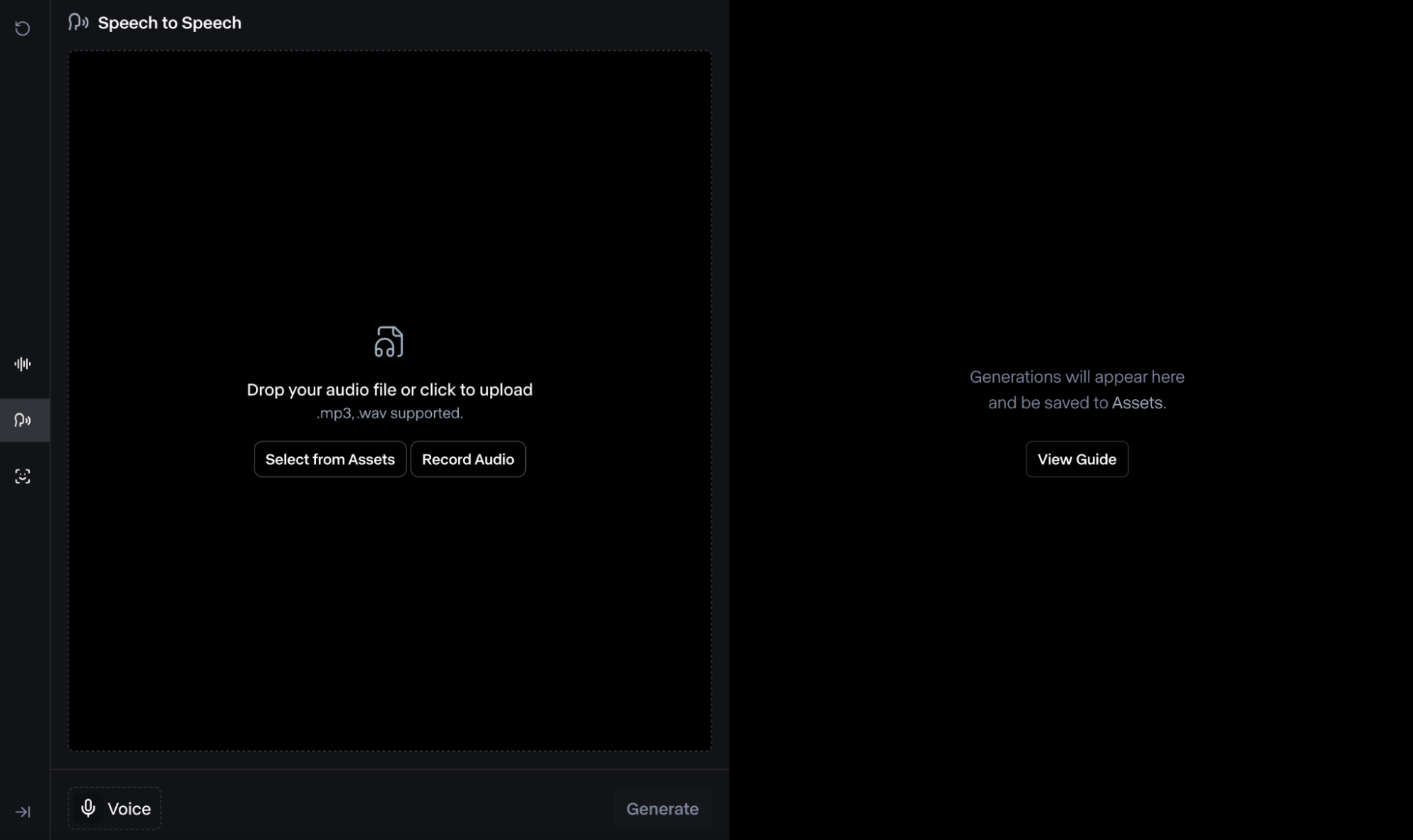
With Runway Lip Sync, you can record yourself or others and upload the existing audio file to be used as character dialogue. The tool allows for up to a maximum of 40 seconds of speech with the option of previewing how it sounds before the final result.
Multi-Face Scenes
You can use Runway Lip Sync to create dialogue scenes for multiple characters making it easy to create complex scenes with ease. The tool allows you to upload up to 10 dialogues per video giving you a lot of creative room to work with.
Today, we’ll be introducing a new initiative designed to enhance our community engagement.
Character 2:
This initiative is not just a project; it’s an opportunity for all of us to collaborate and innovate together.
Character 3:
We’ve carefully analyzed the needs of our community and developed a plan that addresses those needs effectively.
Stylize Speech
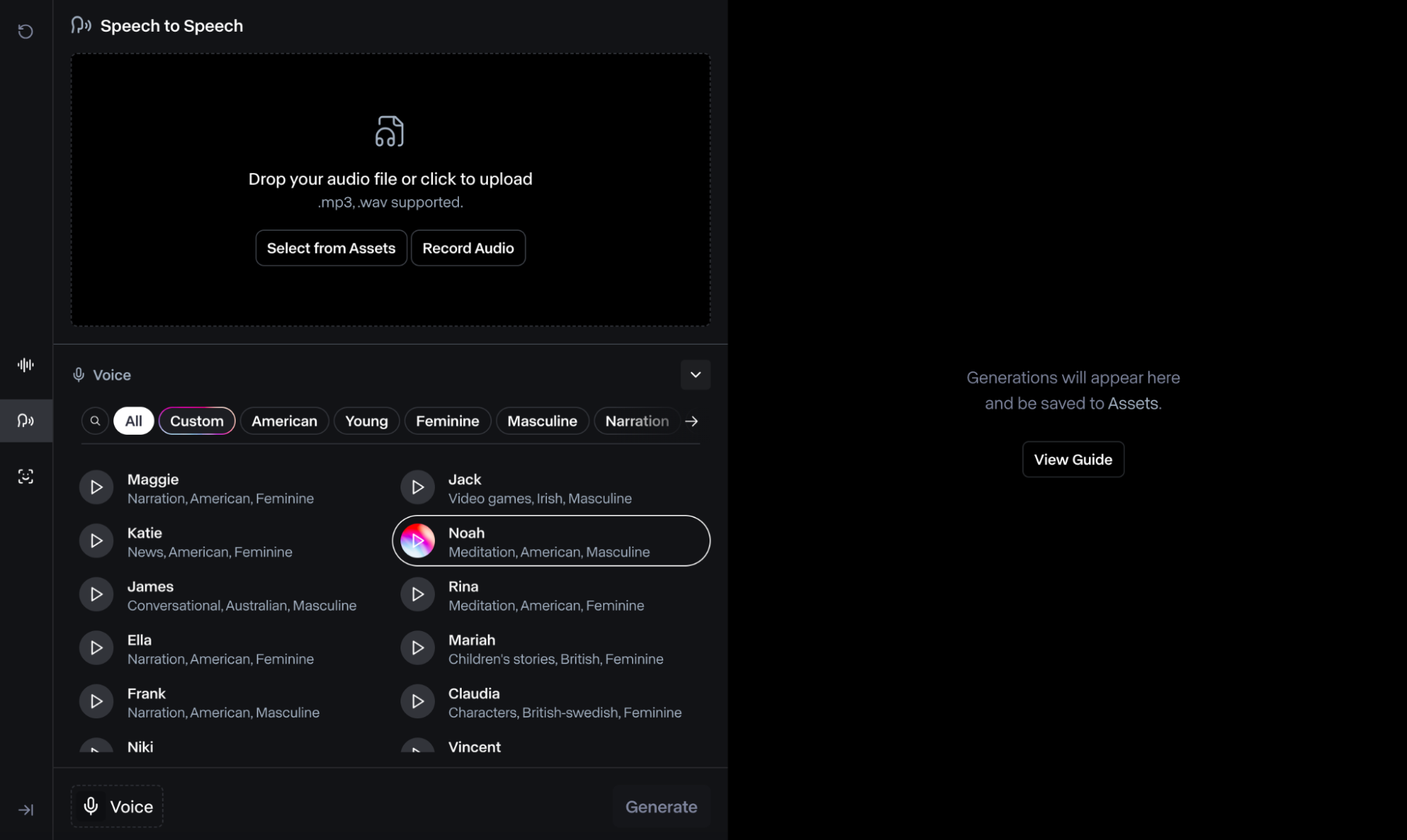
You can access several custom AI voice models with Runway Lip Sync, each one offering different language nuances to choose from. You can even select male or female voices in different moods and settings such as meditation, narration, conversation, etc.
YouTube Videos About Runway Lip Sync
What People Are Talking About Runway Lip Sync on Reddit
What People Are Talking About Runway Lip Sync on X
#Runway Gen-1 + Lip Sync (Available now for everyone!)An experiment 🧵I wanted to see how well Lip Sync would work on a stylized Gen-1 clip. So I uploaded a decent quality video with my subject clearly visible. This was the initial Input Video and the Lip Sync would not… pic.twitter.com/faJ0nAmWhS — 🍥 Timmy 🍥 (@IXITimmyIXI) March 22, 2024
#Runway Gen-1 + Lip Sync (Available now for everyone!)An experiment 🧵I wanted to see how well Lip Sync would work on a stylized Gen-1 clip. So I uploaded a decent quality video with my subject clearly visible. This was the initial Input Video and the Lip Sync would not… pic.twitter.com/faJ0nAmWhS
📼 Realistic lip sync has arrived at Runway and it's INSANE. 🤯This is actually an update to the Act-One feature, but You can upload any video, not just those generated within the service.How it works:🟡 We upload a video of you speaking to the camera (or even sing).… pic.twitter.com/Il6CsVrgz0 — Javaid Shah (@JvShah124) December 8, 2024
📼 Realistic lip sync has arrived at Runway and it's INSANE. 🤯This is actually an update to the Act-One feature, but You can upload any video, not just those generated within the service.How it works:🟡 We upload a video of you speaking to the camera (or even sing).… pic.twitter.com/Il6CsVrgz0
Game over! Runway just dropped Act One, taking lip-sync AI to the next level with insane quality and a seamless workflow. It’s never been this easy to bring characters to life. Here's a short scene called "Rise or Fall". I'll explain how to make this below. @runwayml pic.twitter.com/KCAuXbNeIr — Ben Nash (@bennash) October 25, 2024
Game over! Runway just dropped Act One, taking lip-sync AI to the next level with insane quality and a seamless workflow. It’s never been this easy to bring characters to life. Here's a short scene called "Rise or Fall". I'll explain how to make this below. @runwayml pic.twitter.com/KCAuXbNeIr
Helpful Articles About Runway Lip Sync
Learn how to use lip sync with Runway, and discover more useful articles!
FAQs
Is Runway Lip Sync free?
You can access Runway Lip Sync at no charge by using the basic plan. However, the amount of generations you can make will be limited. If you want to keep using the tool, you will eventually need to subscribe to a paid plan.
How many characters can Runway Lip Sync animate per scene?
You can use Runway Lip Sync to add speech dialogue for up to a maximum of 10 different speakers/dialogues per scene. You can also use different AI voice models for each one, which helps you create interactive visual sequences with deeper storytelling. Learn more about how to use Runway Lip Sync here.
What limitations does Runway Lip Sync have?
Runway Lip Sync works best with close-up shots of human faces that are forward-facing in the direction of the camera. The tool doesn’t typically support animal or cartoon faces but it can work at times. Moreover, there shouldn’t be any significant mouth, camera, body, or head movement.
What video formats does Runway Lip Sync support?
You can import a wide range of popular video formats such as MP4, MOV, 3GP, MKV, and others. However, when it comes to exporting, you will need to check your subscription. For instance, Basic and Standard users can only export videos in MP4 format only.
How much does it cost to use Runway Lip Sync?
Runway will charge 5 credits per second of video output when using the Lip Sync tool. Keep in mind that it supports up to a maximum of 40 seconds per dialogue with up to 10 dialogues allowed for each visual scene.
In addition to lip sync, what other features does Runway provide?
Runway offers multiple generation features, including image-to-video conversion. Since TikTV AI has integrated Runway, you can now create videos from images using TikTV AI image to video AI with the same Runway model!