
Music content is the undisputed king of social media engagement. From TikTok trends to YouTube Shorts, viral AI singing videos are currently dominating feeds and racking up millions of views. If you want to scale your channel fast, learning how to make engaging singing videos with TikTV.AI is the ultimate shortcut.
With the AI singing video generator from TikTV.AI, you can now transform any track into a visually captivating masterpiece. Whether you are an aspiring musician or a content creator looking for the next big trend, this tool allows you to create engaging AI music videos that stop the scroll.
What Are Engaging Singing Videos?
Engaging singing videos are high-retention clips that blend perfectly synchronized lip-syncing with dynamic visual motion. By using AI to map facial expressions and movements to the rhythm of a song, these videos create a powerful emotional connection that drives shares and viral growth.
Who Can Level Up Their Content with AI Singing Videos?
- Content Creators: Generate high-energy AI music videos to keep your social media feeds active and engaging.
- Meme Makers: Turn iconic characters or funny photos into singing portraits that are perfect for shareable humor.
- Musicians: Quickly preview how a lyric snippet might look with visual accompaniment before committing to a full production.
- Digital Marketers: Create personalized, engaging singing videos for brand campaigns that stand out in crowded feeds.
How to Make Engaging Singing Videos with TikTV.AI
Designing a professional AI singing video on TikTV.AI is designed to be a zero-effort process. Follow these steps to generate your first hit:
Step 1: Provide Your Audio Source
Navigate to the AI singing video maker page. You have two convenient options: Provide a Suno or TikTok link to fetch the audio instantly, or import your own file. TikTV.AI supports various formats, including MOV, AVI, MP3, and MP4, for files up to 10 minutes long.
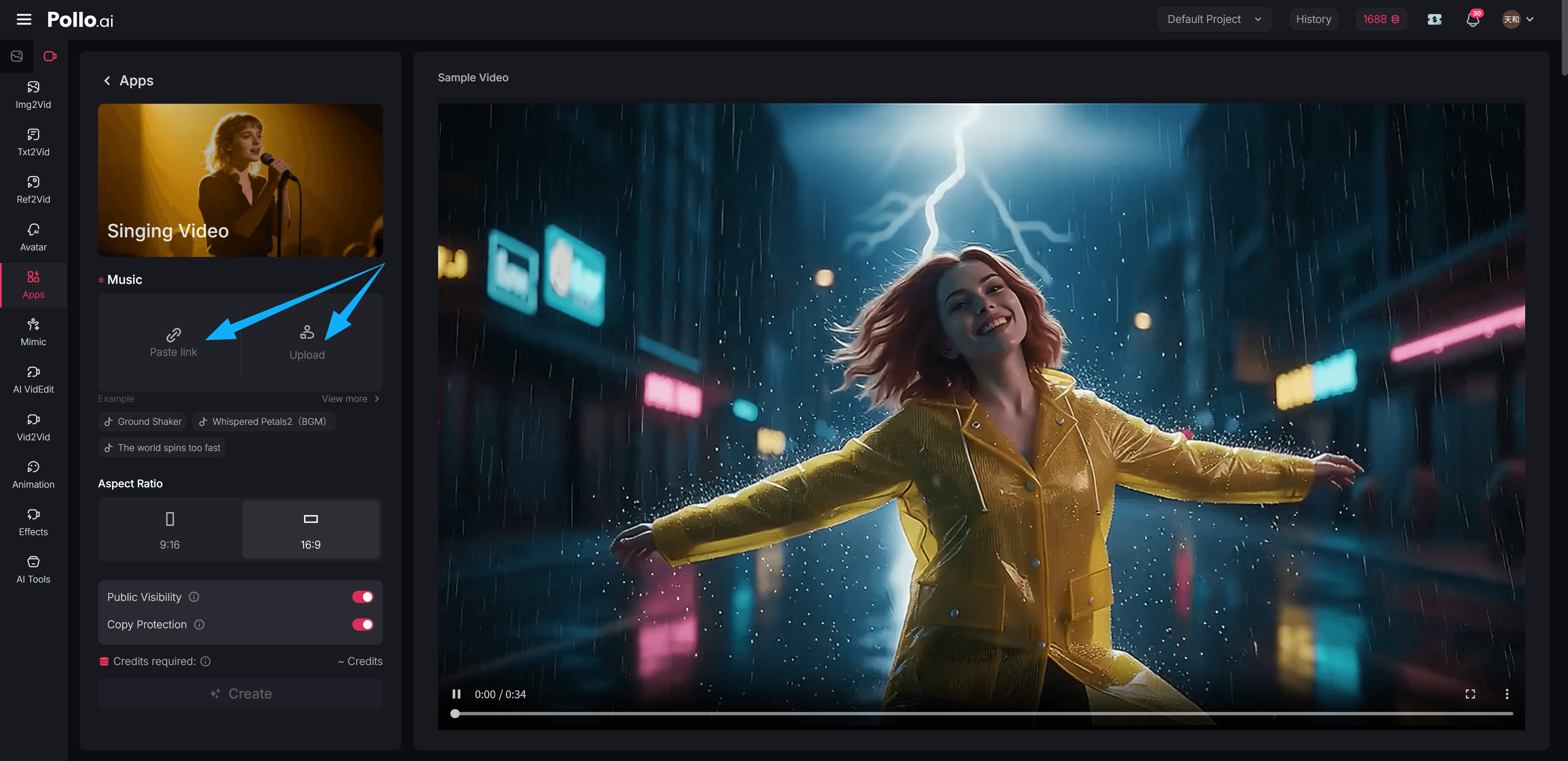
Step 2: Select Ratio and Privacy Settings
Select the format that matches your target platform. In this same step, manage your visibility: toggle Public Visibility to join the community gallery for extra reach, or enable Copy Protection to keep your custom AI prompts and creative strategies private and secure.
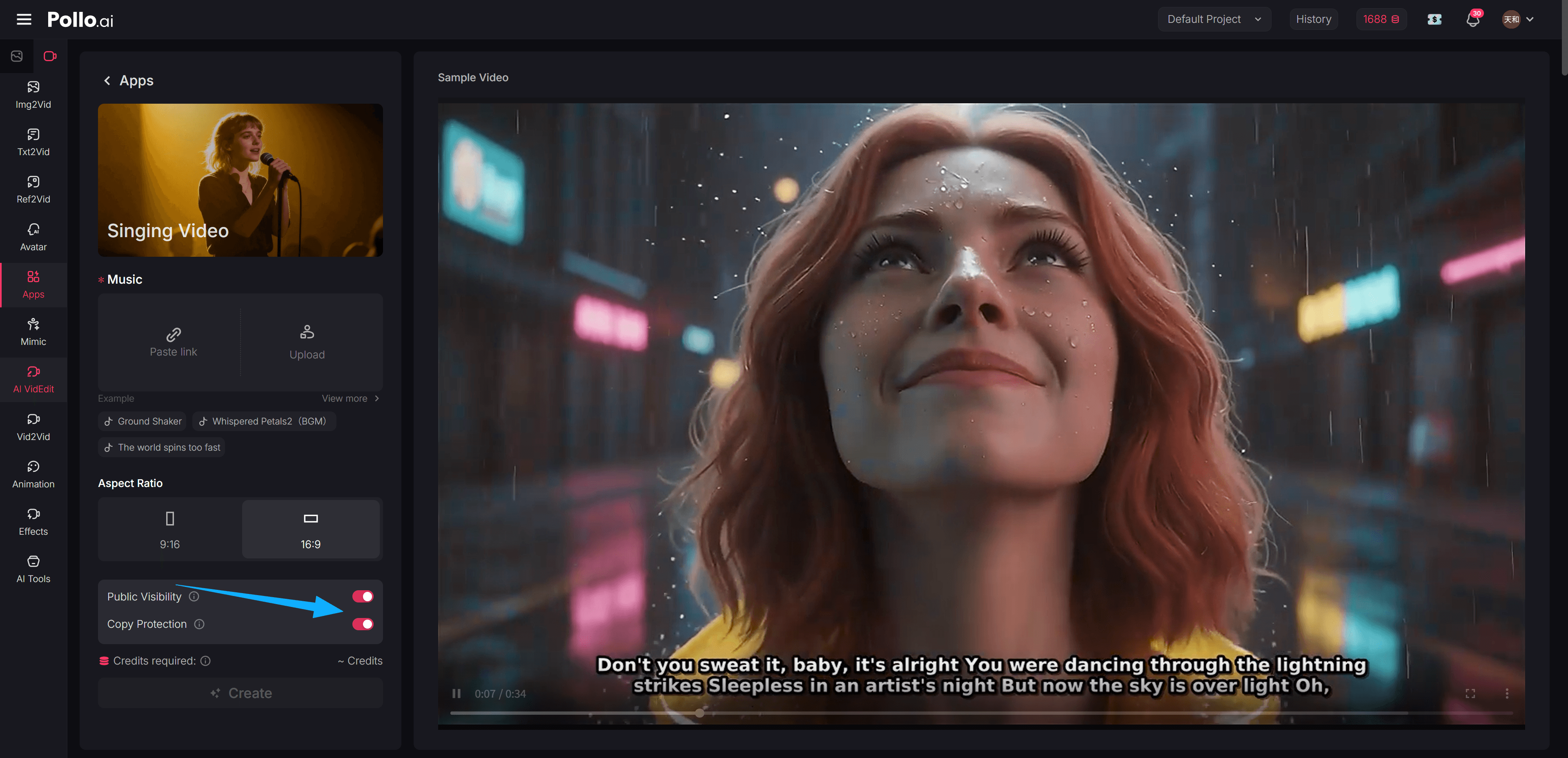
Step 3: Generate and Share
Hit the 'Create' button. The AI will analyze the tempo and tone of your music to generate a synchronized, high-quality video. Once finished, download it and get ready to post—your next viral singing video is ready for the world.
Pro tip: Before you upload to YouTube, make sure your video has a strong finish—learn how to design professional YouTube outros with AI to keep your viewers subscribed.
Why TikTV.AI is the Ultimate Choice for Creators
- Instant Production Speed: Traditional editing takes days, but TikTV.AI reduces that workflow to seconds. This allows you to focus on strategy and channel growth while we handle the heavy lifting of complex lip-syncing and motion tracking.
- Advanced Creative Suite: Beyond singing, you can use the AI caption generator to add perfectly synced lyrics, ensuring your content is accessible and engaging even when viewed on mute.
- Algorithm-Ready Quality: Every output is optimized for high retention. By using our professional AI singing video technology, you ensure your visuals are crisp and perfectly mapped, which is a key factor in triggering social media algorithms.
Final Thoughts
The era of boring, static music posts is officially over. With TikTV.AI, you have the professional tools to lead trends and outpace your competition. Stop being a spectator and start building your digital presence with high-energy AI singing videos that rival big-budget productions.
Whether you are aiming for a single viral video or long-term brand authority, our platform provides everything you need to scale your channel to new heights starting right now.