
Runway has a powerful Image to Video feature, suitable for making AI hug videos based on your uploaded image. But how to make the most out of it?
We have created this step-by-step guide on how you can make AI hug videos using Runway. We have also provided how you can create AI hug videos using TikTV.AI with a better generation experience. So, let's dive in!
How to Create AI Hug Videos With Runway?
Follow these steps to learn the approach on how you can create your AI hug videos with Runway:
Step 1: Upload an Image
Go to Runway's official website with your browser and sign up. After the sign up, head on to the Generate Video option on your left.
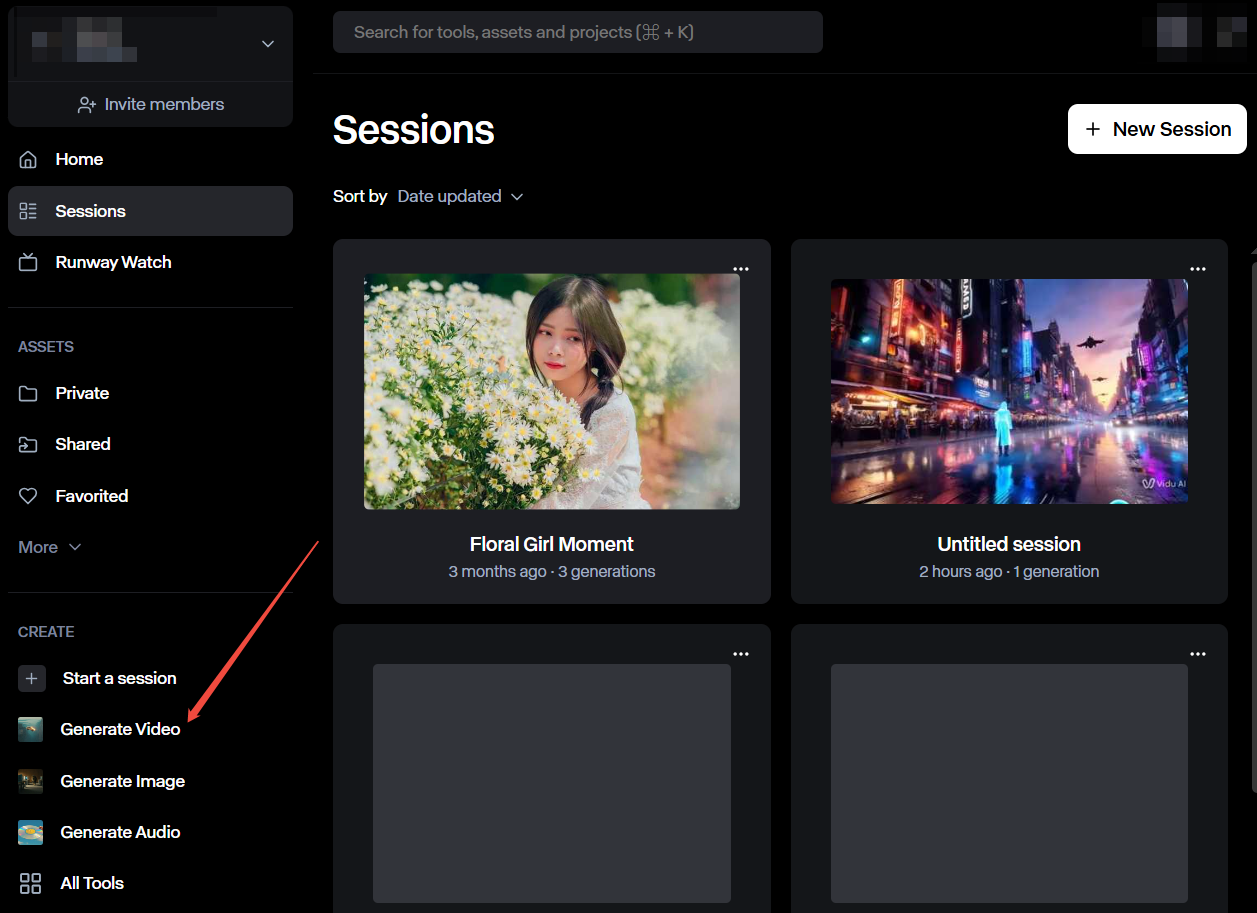
Click to upload your targeted image to Runway.

Step 2: Enter Text Prompt
After the image upload, you could write a simple prompt like “make them hug each other.” Or you can enhance it into a more clear and detailed one.
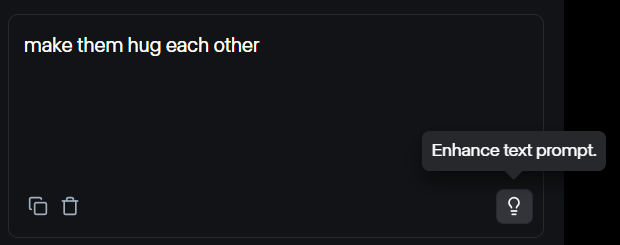
Step 3: Generate and Download
When you are done, select the video generation model and then click the Generate button. If you are pleased with the results, you can download it directly. If you are not, you can change your uploaded image and prompt and regenerate the whole video.

See an example here:
Choose a Better AI Hug Generator in TikTV.AI
Creating AI hug videos with Runway can be a little complex. However, with TikTV.AI’s AI hug generator, you don’t have to consider what text prompt to be used or spend time with other settings.
All you need to do is to upload your targeted image. TikTV.AI even supports uploading two images for video generation guidance. After uploading, you can hit the Create button and wait for the video to be generated. The whole process is much easier than with Runway.
Besides, you can watch this tutorial video to learn how to create stunning AI hug videos using TikTV.AI:
Can you see why you should consider TikTV.AI? There are even more fantastic reasons below:
A Wide Range of Video Effects
In addition to its AI hug video generator, TikTV.AI has a wide range of video effects that will not only inspire you but also make generating interesting AI videos a simpler experience.
Some popular video effects include AI kiss, muscle generator, squish effect and much more.
Cost-Effective
TikTV.AI can help you save cost when you use it to make AI videos even if you have a small budget. You can try out most of its features without paying.
You could generate your videos for free as TikTV.AI provides a free plan for new users with limited video credits.
Fast and High Quality Video Output
TikTV.AI has fast processors which allows you to get your AI videos fast. Meanwhile, the quality of your video will remain high and the generated video will be incredibly realistic and captivating.
Conclusion
Runaway can make AI hug videos but it requires too much work and perfection from users. Any slight mistake can make all your hard work useless.
This is why TikTV.AI is special. It has an integrated AI hug video generator which makes the process easier because all you need is just your image. So, visit the AI hug generator of TikTV.AI to start your generation experience now!