
Runway Text to Video
Runway offers a text-to-video generator that allows users to create novel videos in various visual styles using text prompts. It's available in its Gen-2, Gen-3 Alpha and Gen-3 Alpha Turbo models, and comes with customization options like camera view, motion, etc. You can now try these Runway models in TikTV AI video generator!
Key Features of Runway Text-to-Video
Advanced Prompt Understanding: Use detailed text prompts to craft captivating video clips in a flash.
Photorealistic Characters: Produce videos with realistic and believable characters
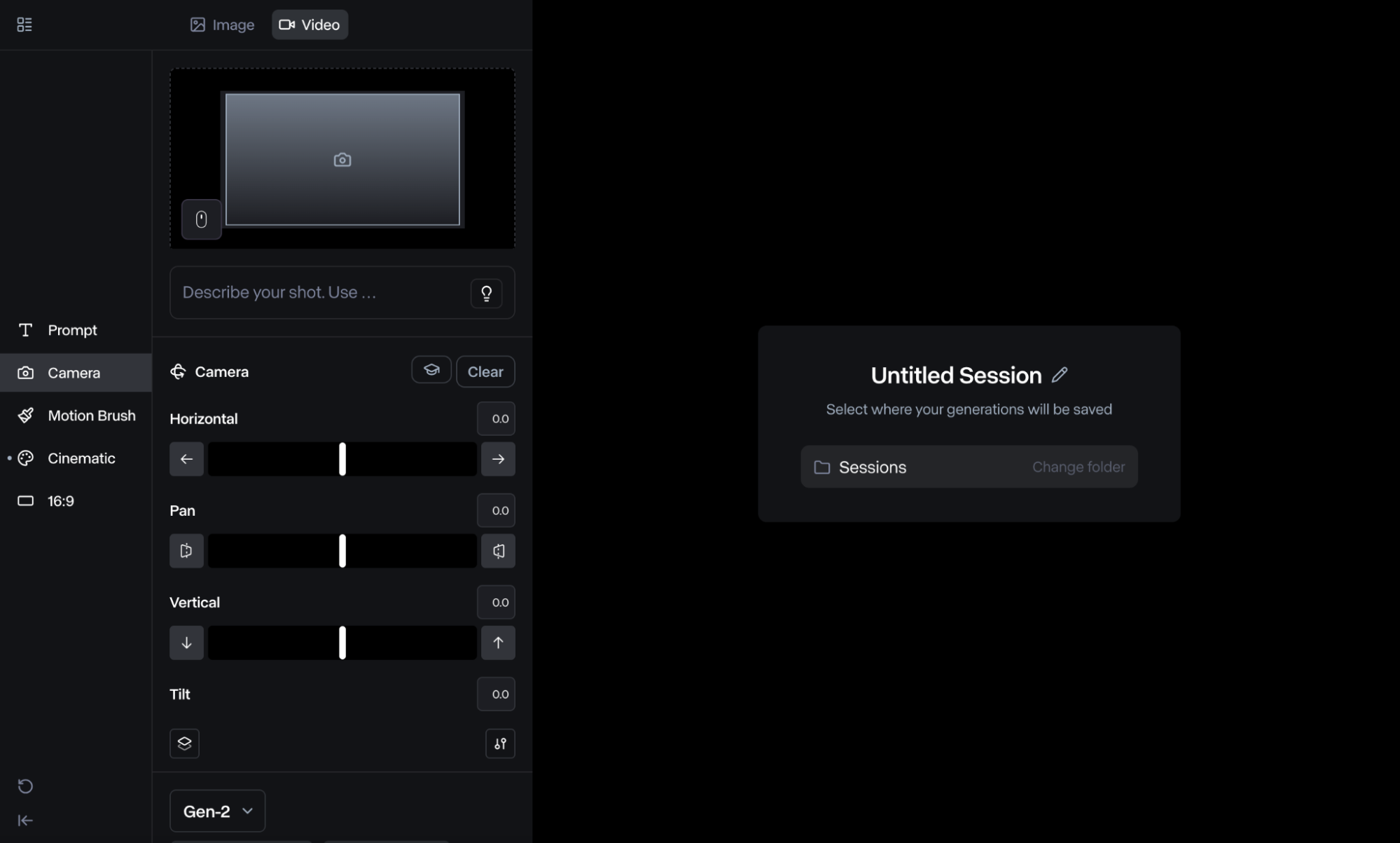
Camera Control: Alter camera movements by adjusting horizontal, pan, vertical, tilt, etc.
Style Presets: Access over 30 preset styles to create unique videos.
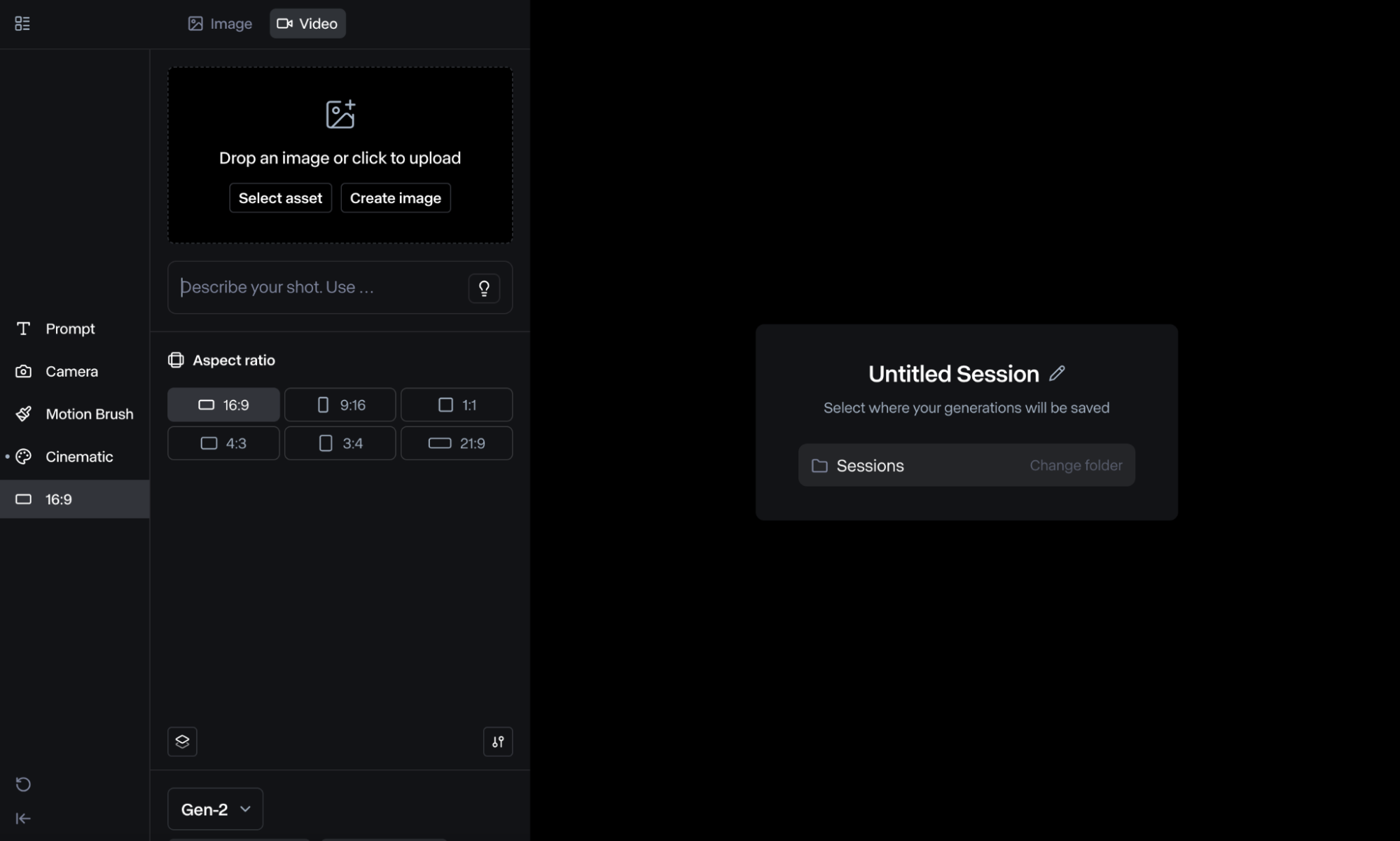
Customizable Aspect Ratios: Create videos with different dimensions to cater to various platforms.
Advanced Prompt Understanding
An advanced text to video AI generator should have strong prompt understanding ability. Runway text-to-video tool allows users to input descriptive text prompts and the AI model will analyze it to produce unique and imaginative visual sequences accurate to your instructions. From cinematic clips to animations, you can freely explore a wide range of visual narratives.
Photorealistic Characters
Using Runway’s Gen-3 Alpha model, you can produce realistic characters with expressive actions and gestures, as well as create all sorts of unique and believable environments that can stun audiences and keep them engaged.
Camera Control
The text-to-video generation feature of Gen-2 and Gen-3 Alpha models allows you to adjust various camera movements based on your needs. You can adjust zoom, tilt, pan, roll, and other settings, which gives you more control over the final output.
Style Presets
Runway provides access to over 30+ visual styles to choose from, each one with a unique aesthetic. You can create all sorts of videos such as claymation, isometric 3D, anime, and more. This makes it a versatile solution that lets you explore a wide range of visual ideas.
Customizable Aspect Ratios
When using text-to-video on Runway's Gen-2 model, you can customize the video resolution to suit any aspect ratio. You can choose between 16:9, 9:16, 1:1, 4:3, and several other options. This makes it easier to publish videos that cater well to various social platforms.
What People Are Talking About Runway Text-to-Video on Reddit
YouTube Videos About Runway Text-to-Video
What People Are Talking About Runway Text-to-Video on X
📰 Runway’s new #AI tool, Frames, generates cinematic video clips from text or video prompts. It enables users to direct scenes with precise details, such as camera angles and lighting, or use images to produce styled shots like dolly or slow motion.https://t.co/NfQkxCj9U6 — Center for Data Innovation (@DataInnovation) December 19, 2024
📰 Runway’s new #AI tool, Frames, generates cinematic video clips from text or video prompts. It enables users to direct scenes with precise details, such as camera angles and lighting, or use images to produce styled shots like dolly or slow motion.https://t.co/NfQkxCj9U6
Text to video, simplified. 🚀 Create eye-catching videos in just minutes with Runway Gen-3.This video was made with Runway. — משב (@mashavtv) January 22, 2025
Text to video, simplified. 🚀 Create eye-catching videos in just minutes with Runway Gen-3.This video was made with Runway.
🚨 Breaking NewsRunway just released its Gen-3 Alpha Text to Video to everyone.It's a groundbreaking advancement in video generation technology.︎ ︎ ︎ ︎ ︎ ︎Significant Insights:Gen-3 Alpha is the first of Runway’s new series of models, designed for high-fidelity,… pic.twitter.com/lPYoEFsj2P — There's An AI For That (@theresanaiforit) July 1, 2024
🚨 Breaking NewsRunway just released its Gen-3 Alpha Text to Video to everyone.It's a groundbreaking advancement in video generation technology.︎ ︎ ︎ ︎ ︎ ︎Significant Insights:Gen-3 Alpha is the first of Runway’s new series of models, designed for high-fidelity,… pic.twitter.com/lPYoEFsj2P
Helpful Articles About Runway Text to Video
Learn how to use Runway text-to-video, with more other comprehensive articles!
FAQs
Which Runway AI models offer text-to-video?
You can access Runway’s text-to-video feature on all three AI models: Gen-2, Gen-3 Alpha, and Gen-3 Alpha Turbo. However, keep in mind while Gen-2 and Alpha allow for text-only generation, the Turbo model only offers text + image-to-video generation.
Is Runway text-to-video free?
Runway comes with a free plan that allows you to generate videos for free. However, this plan comes with limited credits. If you want to generate more videos using text prompts, then you will need to subscribe to a premium plan.
What videos can I generate with Runway text-to-video?
You can use the text-to-video feature to produce all kinds of content in various visual styles such as claymations, 3D videos, anime, graphic novel, pixel art, and so much more. This makes Runway ideal for experimenting with all kinds of creative visual ideas.
How to prompt in Runway text-to-video?
The prompt used to generate videos on Runway should be direct, descriptive and avoid negative phrases (don't/doesn't, no, etc.). It can follow the format like [Camera movement]: [Establishing scene]. [Additional details]. Check out our Runway prompt guide for more details.
How long will the generated text-to-video content be?
Runway text-to-video allows you to generate 4-second videos on the Gen-2 model and 5-second videos on the Gen-3 Alpha model. You will also have the option to extend the video after generation, so if you need longer-duration videos, then that’s an option.
Where else can I use Runway text-to-video?
You can access Runway text-to-video on TikTV AI. The AI video generator is integrated with Runway and several other AI models such as Luma AI, Kling AI, and Hailuo AI, just to name a few. This means you can access numerous features and capabilities in one place.