Clipchamp AI 视频编辑器
Clipchamp是一款简单的微软视频编辑器,具备基础 AI 和内置录制功能,但项目存储仅依赖 OneDrive。TikTV AI可帮助您实现更高级的工作流程,无需任何编辑步骤即可在一个流程中生成可直接使用的内容。立即免费试用TikTV AI !
Key Features
AI-Powered Video Enhancement Tools : Clean up audio and visuals with AI that removes noise, trims silence, and improves clarity automaticallyAI Voiceover Generator for Scripted Videos : Bring scripts to life with natural-sounding AI voiceovers in different languages and tonesBuilt-in Webcam & Screen Recorder : Capture your screen, camera, or both at once without leaving the editorAI Subtitle Generator with Multilingual Support : Turn spoken content into accurate subtitles that make videos easier to follow and shareExport Audio-Only Files from Videos : Extract and download high-quality audio like voiceovers, music, or dialogue in just a few clicksBrand Kit for Consistent Visual Identity : Keep logos, colors, and fonts in one place to create instantly recognizable videosGIF Maker for Quick, Shareable Content : Turn videos or images into GIFs in seconds for social media and messagingCross-Platform Editing Across Devices : Create and edit videos seamlessly in browser, desktop, or mobile environments
AI-Powered Video Enhancement Tools
Instead of manually refining every detail, Clipchamp uses AI to clean up footage automatically. Background noise is reduced, pauses are trimmed, and overall clarity improves in just a few clicks.
This turns rough recordings into polished videos much faster, especially for content created in everyday environments. Whether you're filming at home or producing quick social content, you can prepare videos for TikTok, IG, or marketing use without re-editing or re-recording.
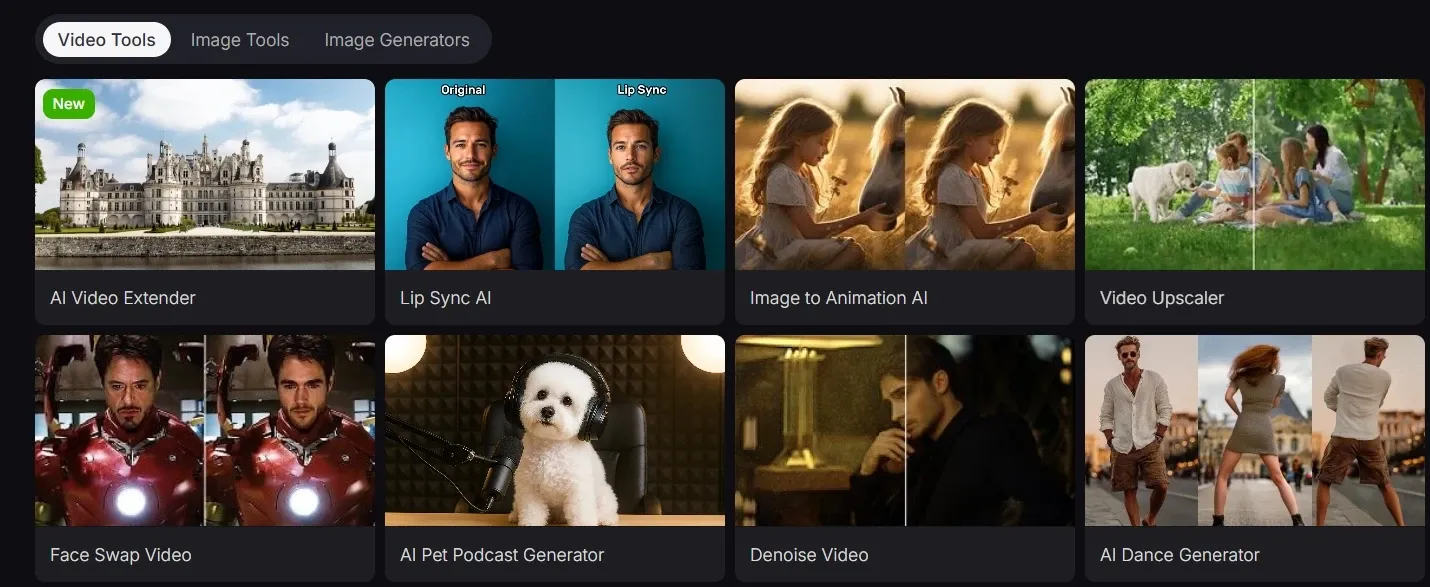
Clipchamp focuses on basic AI cleanup like noise reduction and trimming. TikTV.AI goes further with a wider range of video tools, including video upscaling, background remover, and remove objects from video, allowing deeper editing and more flexible, ready-to-use results.

AI Voiceover Generator for Scripted Videos
Clipchamp allows users to turn text directly into natural-sounding voiceovers, removing the need for recording. It supports consistent narration with adjustable tone, speed, and language to match different audiences.
This makes it easy to scale video production without worrying about voice quality or setup. For product demos, explainers, or ads, simple scripts can quickly become fully narrated videos, ready to publish in minutes.

In comparison, AI avatar of TikTV.AI goes a step further. Simply provide a script, and it creates full talking videos with lifelike avatars, multilingual voice, and natural lip-sync. It delivers ready-to-use content without needing real presenters or separate production steps.
Built-in Webcam & Screen Recorder
Clipchamp lets you record your screen, webcam, or both in one place, then move straight into editing, without switching tools.
This keeps the workflow smooth from capture to export. For example, you can record a product demo with your screen and face together, then quickly edit it into a tutorial or LinkedIn video without re-uploading files.

Compared to Riverside, which specializes in high-quality remote recording for podcasts and interviews, Clipchamp offers a simpler built-in webcam and screen recorder focused on quick, everyday content capture.
AI Subtitle Generator with Multilingual Support
Clipchamp turns speech into subtitles across multiple languages without manual typing. The captions can then be styled and exported with the finished video.
This helps your content stay clear even when viewed on mute. For instance, a creator posting Instagram Reels can instantly add captions so viewers understand the message while scrolling, improving watch time and engagement.

Clipchamp focuses on adding multilingual subtitles, making videos easier to follow without sound.
TikTV.AI takes a broader step by generating complete multilingual videos with scenes, audio, and delivery adapted, suited for ads, tutorials, or global content.
Export Audio-Only Files from Videos
Clipchamp helps you pull audio directly from your video and download it as a separate file in seconds. No extra tools or conversions needed.
This makes it easy to reuse content across formats. You can extract a voiceover from a product video and repurpose it as a podcast clip or audio ad without recreating it.
Brand Kit for Consistent Visual Identity
Clipchamp’s brand kit keeps logos, fonts, and colors ready to apply at any time, helping every video maintain a consistent visual identity.
This is especially useful when producing multiple videos in a series. A marketing team can create weekly social content that always matches brand colors and typography, without redesigning each video from scratch.
In contrast, story video generator, which is built by TikTV.AI, applies brand elements automatically while generating the entire branding or marketing videos.
Instead of manually adding assets, it builds structured, ready-to-use videos with consistent style, messaging, and flow, making brand consistency part of the creation process, not an extra step.
GIF Maker for Quick, Shareable Content
Clipchamp turns clips or images into looping GIFs in just a few steps. Trim, resize, and export content that’s ready to share instantly.
This is perfect for lightweight content creation. Product highlights, reactions, or short moments can be repackaged into engaging visuals for social media, messaging, or email campaigns.

Compared to CapCut, which supports more flexible GIF creation with editing options like text, stickers, effects, and export control, Clipchamp focuses on a simpler, faster workflow for basic GIF conversion.
As a result, CapCut is better for more customizable and creative GIF content, while Clipchamp is more suitable for quick, lightweight GIF creation.
Cross-Platform Editing Across Devices
Clipchamp supports video editing in-browser, on desktop, and on mobile, allowing users to switch devices while keeping their progress intact.
This fits real creation habits. You might start editing a video on your laptop, tweak it on your phone while commuting, and finish it later for publishing without restarting the project.
Use Cases of Clipchamp
- E-commerce Sellers: Turn product descriptions into AI-generated voiceovers for ads, instantly converting text into engaging audio content without the need for recording.
- Content Creators: Create and edit YouTube tutorials by recording both screen and webcam, then seamlessly add AI-generated subtitles for accessibility and global reach.
- Marketing Teams: Use Clipchamp's brand kit to maintain consistent logos, fonts, and colors across promotional videos, ensuring brand identity remains polished across social platforms.
- Educators: Record explainer videos with screen and webcam simultaneously, then use AI subtitles to make content more accessible for diverse learning needs, and export as shareable resources.
- Social Media Manager: Turn behind-the-scenes footage into short GIFs for Instagram and Twitter, resize and crop for perfect social media formats, and add branding with the built-in tool.
Clipchamp vs Clideo vs Riverside vs TikTV.AI
| Features | Clipchamp | Clideo | Riverside | TikTV.AI |
| Ease of Use | Beginner-friendly timeline editor | Very simple tool-based interface | Easy, but requires setup for recording | Simple, prompt-based workflow |
| Core Workflow | Record and edit videos in one place | Edit, resize, and convert files quickly | Record first, then edit content | Generate videos from text or images |
| AI Capabilities | Basic AI (subtitles, voiceover, audio cleanup) | Minimal AI features | Limited AI, mainly editing assistance | Advanced AI generation (video, image, avatars) |
| Agent Workflow | Not supported | Not supported | Agent only for editing | TikTV Agent plans, generates, and refines content from a simple idea |
| Recording Features | Built-in webcam and screen recording | Not supported | High-quality remote recording | Not recording-focused |
| Content Creation Speed | Fast for simple editing tasks | Very fast for quick edits | Slower due to recording workflow | Fastest with automated generation |
| Best For | Beginners and social video editing | Quick fixes and simple edits | Podcasts, interviews, remote content | Ads, marketing, scalable content creation |
Clipchamp focuses on simple video editing with built-in recording and basic AI tools like subtitles and voiceovers.
Compared to Clideo and Riverside, it provides a more complete workflow for creating and editing content in one place. However, it still depends on manual editing, while TikTV.AI shifts toward AI-driven video generation and automated creation.
Where Clipchamp Fits
Clipchamp is positioned as a beginner-friendly, browser-based video editor within the Microsoft ecosystem, built to make video creation accessible without prior editing experience.
It emphasizes simplicity, templates, and fast workflows rather than advanced controls.
Compared to traditional editing software, it prioritizes ease of use, while its AI features remain supportive rather than central. Overall, Clipchamp sits between professional editors and lightweight online tools as an entry-level solution for everyday video creation.
What Users Are Saying
User feedback on Clipchamp is mixed. On the positive side, many users find it easy to use and suitable for beginners, especially for quick edits without a steep learning curve. Some also appreciate how fast it handles simple tasks compared to other online tools.
However, negative reviews highlight issues with stability and usability. Users mention freezing during editing, difficulty saving work, and frustration with support, which can disrupt the overall experience.
Overall, Clipchamp works well for basic, quick editing. But for more reliable or advanced workflows, the experience may feel limited.
Try TikTV.AI: An Advanced Alternative
If you need more than editing, TikTV.AI offers a more advanced way to create videos.
You can generate complete content using popular models like Seedance on TikTV.AI, making it easy to produce blog videos and marketing assets from scratch. Tools like AI video extender also help quickly refine outputs into usable results.
On top of that, the TikTV Agent is built with real content workflows in mind. It helps plan, generate, and polish videos in one flow, making it especially useful for marketers who need to turn ideas into ready-to-use campaign content without any editing.

主要特点
人工智能视频增强工具:利用人工智能技术自动清理音频和视频,去除噪音、剪掉静音部分并提高清晰度。
用于脚本视频的AI配音生成器:用不同语言和语调的自然流畅的AI配音,让剧本栩栩如生
内置摄像头和屏幕录制器:无需离开编辑器,即可同时捕获屏幕、摄像头或两者。
支持多语言的AI字幕生成器:将语音内容转换为准确的字幕,使视频更容易观看和分享。
从视频中导出纯音频文件:只需点击几下,即可提取并下载高质量音频,例如配音、音乐或对话。
品牌工具包,打造一致的视觉形象:将徽标、颜色和字体集中在一个地方,以便创建一眼就能识别的视频。
人工智能视频增强工具
Clipchamp无需手动处理每个细节,而是利用人工智能自动清理视频素材。只需点击几下,即可降低背景噪音、剪掉停顿,并提升整体清晰度。
这能更快地将粗糙的录像剪辑成精美的视频,尤其适用于日常环境下创作的内容。无论你是在家拍摄还是制作简短的社交媒体内容,都可以直接将视频制作成适用于 TikTok、Instagram 或营销用途的格式,无需重新剪辑或重新录制。
Clipchamp专注于基础的AI视频清理功能,例如降噪和剪辑。TikTV AI更进一步,提供更广泛的视频工具,包括视频放大、背景移除和视频物体移除,从而实现更深入的编辑,并获得更灵活、即用型的结果。
用于脚本视频的AI配音生成器
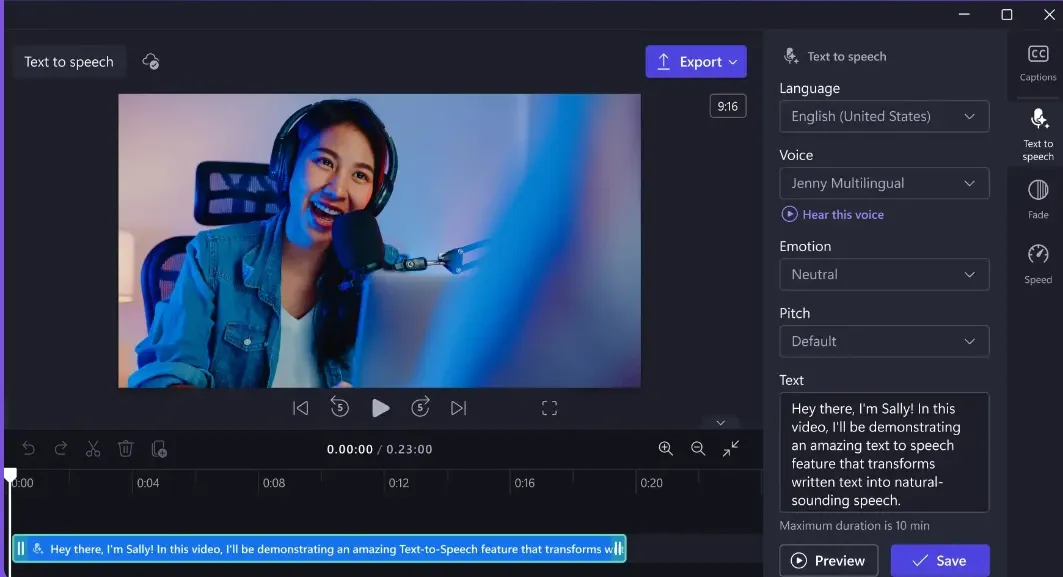
Clipchamp允许用户直接将文本转换为自然流畅的旁白,无需录音。它支持一致的旁白,并可调节语调、语速和语言,以适应不同的受众。
这样一来,无需担心语音质量或设置问题,即可轻松扩展视频制作规模。无论是产品演示、讲解视频还是广告,简单的脚本都能快速制作成完整的配音视频,几分钟内即可发布。
相比之下, TikTV AI的AI 虚拟形象更进一步。只需提供脚本,它就能生成完整的对话视频,视频中的虚拟形象栩栩如生,支持多语言配音,并能实现自然的唇形同步。它无需真人主持人或额外的制作步骤,即可提供即用型内容。
内置摄像头和屏幕录制器
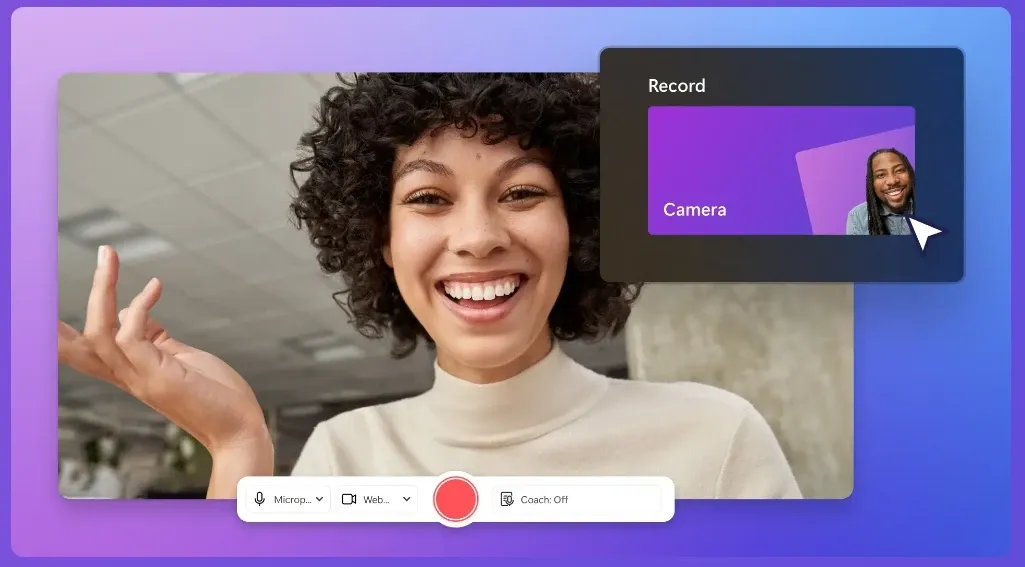
Clipchamp允许您在一个地方录制屏幕、网络摄像头或两者,然后直接进入编辑,无需切换工具。
这样可以确保从录制到导出的整个工作流程顺畅无阻。例如,您可以录制一段屏幕和人脸同时出现的演示视频,然后快速将其编辑成教程或LinkedIn视频,而无需重新上传文件。
与专注于高质量远程录制播客和采访的Riverside相比, Clipchamp提供了一个更简单的内置网络摄像头和屏幕录像机,专注于快速、日常的内容捕捉。
支持多语言的AI字幕生成器
Clipchamp可以将语音转换成多种语言的字幕,无需手动输入。字幕可以进行样式设置,并与最终视频一起导出。
即使在静音模式下观看,这也能确保内容清晰易懂。例如,发布Instagram Reels 短视频的创作者可以立即添加文字说明,让观众在滚动浏览时就能理解信息,从而提升观看时长和互动率。
Clipchamp专注于添加多语言字幕,使视频在没有声音的情况下也更容易观看。
TikTV AI更进一步,生成完整的多语言视频,其场景、音频和交付方式均经过调整,适合用于广告、教程或全球内容。
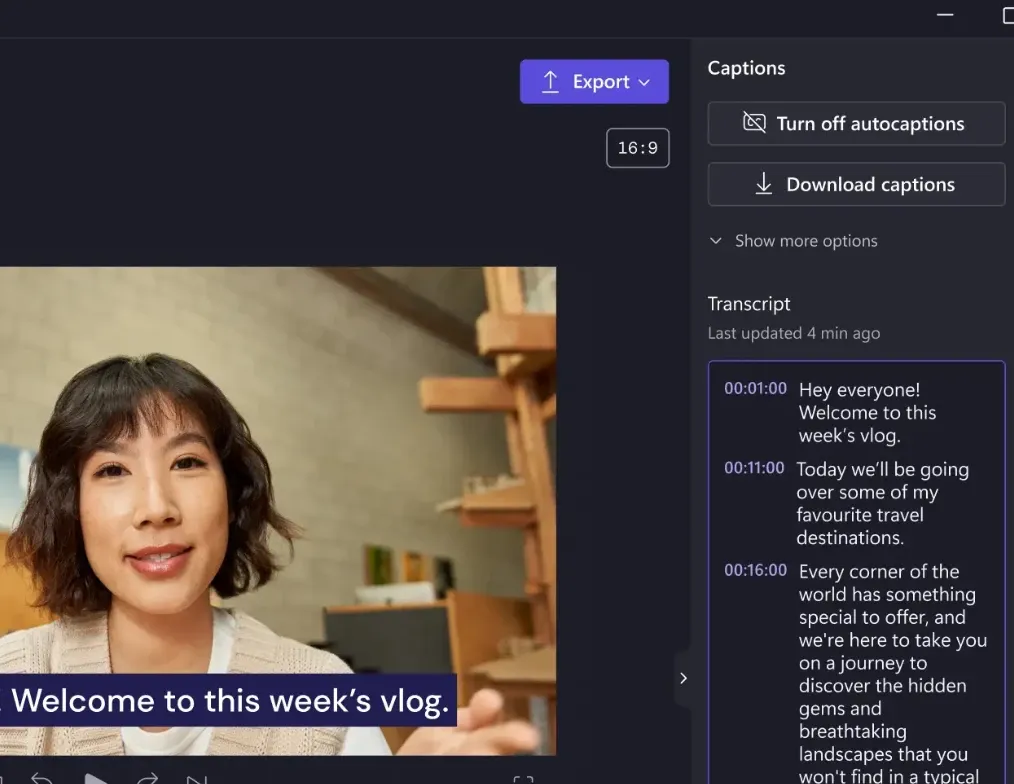
从视频中导出纯音频文件
Clipchamp可以帮助您直接从视频中提取音频,并在几秒钟内将其下载为单独的文件。无需任何额外的工具或转换。
这使得跨格式重复使用内容变得非常容易。您可以从产品视频中提取旁白,并将其重新用作播客片段或音频广告,而无需重新制作。
品牌工具包,打造一致的视觉形象
Clipchamp 的品牌工具包随时提供徽标、字体和颜色,帮助每个视频保持一致的视觉形象。
这在制作系列视频时尤其有用。营销团队可以每周创建与品牌颜色和字体始终保持一致的社交媒体内容,而无需从头开始重新设计每个视频。
相比之下, TikTV AI开发的故事视频生成器会在生成整个品牌或营销视频时自动应用品牌元素。
它无需手动添加素材,即可构建结构化的、可直接使用的视频,这些视频具有一致的风格、信息和流程,使品牌一致性成为创作过程的一部分,而不是额外的步骤。
快速制作可分享的 GIF 内容
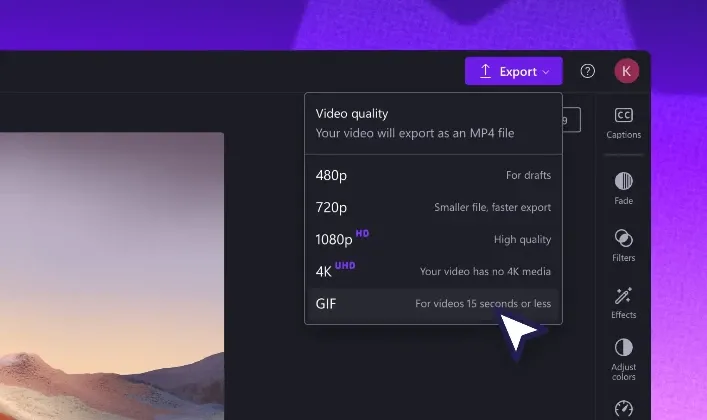
Clipchamp只需几步即可将视频片段或图片转换成循环播放的GIF动画。裁剪、调整大小并导出内容,即可立即分享。
这非常适合轻量级内容创作。产品亮点、用户反应或精彩瞬间都可以重新包装成引人入胜的视觉素材,用于社交媒体、即时通讯或电子邮件营销活动。
与支持更灵活的 GIF 创建,并提供文本、贴纸、特效和导出控制等编辑选项的CapCut相比,Clipchamp专注于更简单、更快速的基本 GIF 转换工作流程。
因此, CapCut更适合制作可定制性强、创意十足的 GIF 内容,而Clipchamp更适合快速、轻量级地创建 GIF。
跨平台跨设备编辑
Clipchamp支持在浏览器、桌面和移动设备上进行视频编辑,允许用户在切换设备的同时保持编辑进度不变。
这符合真实的创作习惯。你可能先在笔记本电脑上开始剪辑视频,然后在通勤途中用手机进行微调,之后再完成发布,而无需重新启动项目。
Clipchamp的使用案例
电子商务卖家:将产品描述转换为 AI 生成的广告配音,无需录音即可立即将文本转换为引人入胜的音频内容。
内容创作者:通过录制屏幕和网络摄像头来创建和编辑YouTube教程,然后无缝添加 AI 生成的字幕,以提高可访问性和全球影响力。
营销团队:使用 Clipchamp 的品牌工具包,在宣传视频中保持一致的徽标、字体和颜色,确保品牌形象在社交平台上保持完美。
教育工作者:同时使用屏幕和网络摄像头录制讲解视频,然后使用 AI 字幕使内容更易于满足不同的学习需求,并导出为可共享的资源。
社交媒体经理:将幕后花絮视频制作成适用于Instagram和Twitter 的短 GIF,调整大小和裁剪以获得完美的社交媒体格式,并使用内置工具添加品牌标识。
Clipchamp 的定位
Clipchamp定位为微软生态系统中一款对初学者友好的基于浏览器的视频编辑器,旨在让用户无需任何编辑经验即可轻松创作视频。
它强调简洁性、模板和快速工作流程,而不是高级控制。
与传统剪辑软件相比,Clipchamp 更注重易用性,其人工智能功能也只是辅助而非核心。总体而言, Clipchamp定位介于专业剪辑软件和轻量级在线工具之间,是一款面向日常视频创作的入门级解决方案。
用户评价
用户对Clipchamp 的评价褒贬不一。积极的一面是,许多用户认为它易于使用,适合初学者,尤其适合快速编辑,无需复杂的学习过程。一些用户也赞赏它处理简单任务的速度,相比其他在线工具而言,速度更快。
然而,负面评价凸显了稳定性和易用性方面的问题。用户反映在编辑过程中经常出现卡顿、难以保存工作以及客服支持不畅等问题,这些问题都会影响整体使用体验。
总的来说, Clipchamp非常适合基本的快速剪辑。但对于更可靠或更高级的工作流程,它的体验可能会略显不足。
试试TikTV AI:一款高级替代方案
如果您需要的不只是编辑功能, TikTV AI提供了一种更高级的视频创建方式。
您可以使用TikTV AI上的Seedance等热门模型生成完整的内容,轻松从零开始制作博客视频和营销素材。AI视频扩展器等工具还能帮助您快速优化输出结果,使其达到可用水平。
此外, TikTV 智能体的设计充分考虑了实际的内容工作流程。它能帮助用户在一个流程中完成视频的规划、生成和润色,对于需要将创意转化为可直接使用的营销内容而无需任何编辑的营销人员来说,尤其有用。
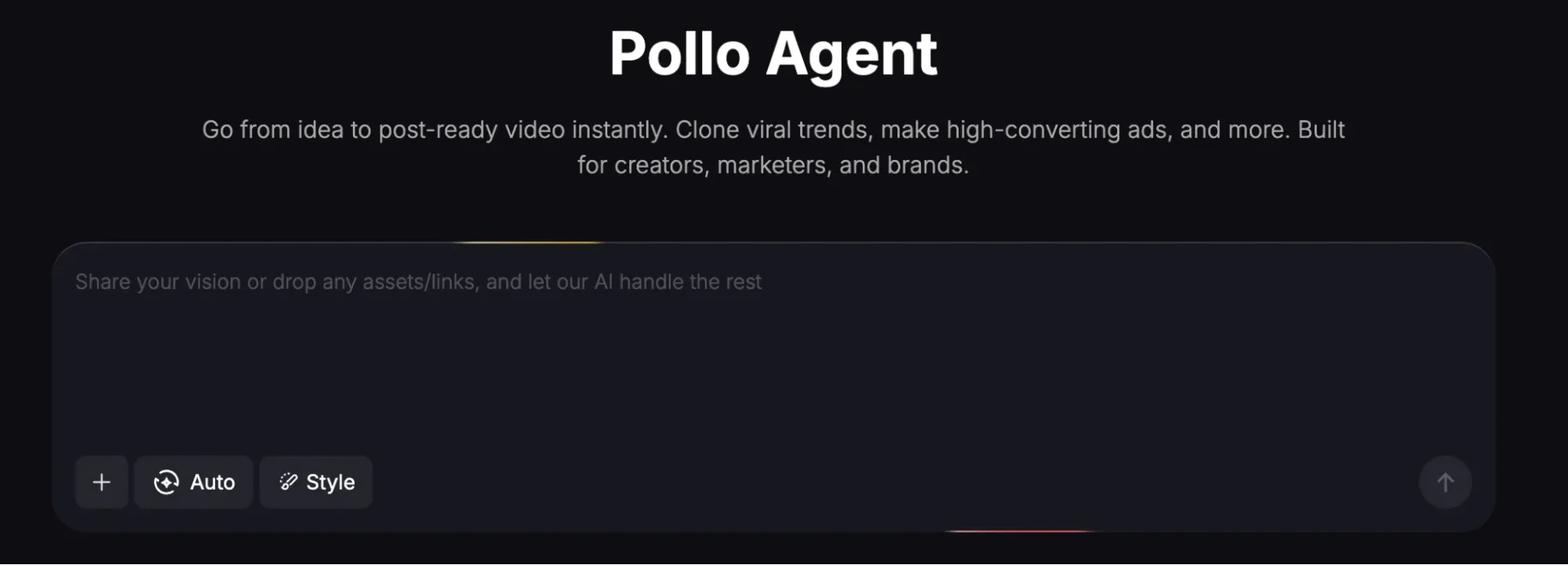
是什么让 TikTV AI 比 Clipchamp 更强大?
使用 TikTV 智能体制作可发布视频
TikTV 智能体可以在一个流程中生成完整、可发布的视频,帮助你无需手动编辑即可将想法转化为营销活动内容。
视频精细优化的D高级工具
除了生成功能,TikTV AI 还提供专业的工具,例如从视频中移除物体,以完善细节并提高最终输出质量。
适用于可扩展 UGC 内容的 AI 虚拟替身
使用 AI 形象生成完整、可直接发布的口播视频,轻松为 TikTok、Reels 和广告活动大规模制作 UGC 风格内容。
探索更多 AI 视频编辑器
常见问题解答
Clipchamp 是什么?
Clipchamp 是 Microsoft 推出的一款基于浏览器的视频编辑器,可让用户在一个地方录制、编辑和导出视频。其主要亮点包括内置屏幕和网络摄像头录制、适合初学者的编辑工具以及字幕、画外音和音频清理等基本 AI 功能,让您无需经验即可轻松创建视频。
Clipchamp 适合初学者吗?
是的,Clipchamp 专为初学者设计,具有简单的界面、模板和拖放编辑功能。对于想要快速创建视频而无需学习复杂软件的用户来说,这是一个很好的起点。
Clipchamp 可以用 AI 自动制作视频吗?
Clipchamp 包含字幕和文本转语音等 AI 辅助功能,但它不会完全自动生成视频。用户仍然需要手动编辑和组装内容。如果你正在寻找更自动化的方法,像 TikTV AI 这样的工具专注于从文本或输入生成完整的视频,有助于简化从想法到随时可用内容的过程。
Clipchamp 支持屏幕和网络摄像头录制吗?
是的,Clipchamp 具有内置的屏幕和网络摄像头录制功能,用户无需使用外部工具即可直接捕获内容并在同一工作流程中对其进行编辑。
你可以用 Clipchamp 制作哪种类型的视频?
Clipchamp 常用于社交媒体视频、教程、演示文稿和简单的营销内容,尤其是在快速编辑和模板足以满足需求的情况下。
Clipchamp 可以在移动设备上使用吗?
是的,Clipchamp 兼容 iOS,也可在浏览器中使用,让用户能够在不同设备上创建和编辑视频。
Clipchamp 可以导出没有水印的视频吗?
是的,Clipchamp 允许导出无水印内容,包括免费套餐,前提是你没有使用高级素材。