Descript AI 视频编辑器
Descript通过基于脚本的编辑功能,使团队能够扩展人工智能驱动的视频制作,并通过与 Kaltura 等公司的合作,将其扩展到企业工作流程中。对于希望超越结构化内容,制作更灵活、视觉驱动的视频的团队, TikTV AI汇集了先进的模型、数字人和专为真实营销内容设计的工具。立即使用TikTV AI开始制作视频吧!
Key Features of Descript
Text-Based Video Editing: Edit videos by editing text instead of timelines.AI Voice Cleanup with Studio Sound: Enhance audio quality instantly without professional equipment.Eye Contact Correction: Make on-screen speakers appear naturally engaged with the camera.Filler Word Removal: Automatically remove “um,” “uh,” and awkward pauses from speech.AI Regenerate for Speech Correction: Fix spoken mistakes by editing text without re-recording.AI Avatar Video Creation: Create talking presenter videos without filming yourself.Quick Video Layout and B-Roll Generation: Automatically structure videos and add supporting visuals.Remote Recording with Rooms: Record high-quality remote conversations directly in your browser.
Text-Based Video Editing
With Descript, you can edit your video just by modifying the transcript, deleting sentences to cut clips, or rearranging paragraphs to change the structure.
This removes the need for complex timeline editing and makes video production feel as simple as working in a document. It significantly lowers the learning curve, especially for non-editors creating content regularly like tutorials, internal updates, or talking-head videos.

Descript edits videos through transcript changes, making cuts and structure easy without a timeline. AI video editor of TikTV.AI goes further by letting you rewrite the video itself with text prompts, such as changing backgrounds, removing objects, or adding effects.
AI Voice Cleanup with Studio Sound
Descript automatically removes background noise, echo, and uneven audio levels with Studio Sound, turning raw recordings into clean, studio-like output.
This allows creators to produce professional-sounding content without investing in expensive microphones or recording setups, making it ideal for podcast recording, remote interviews, or quick voiceover production.
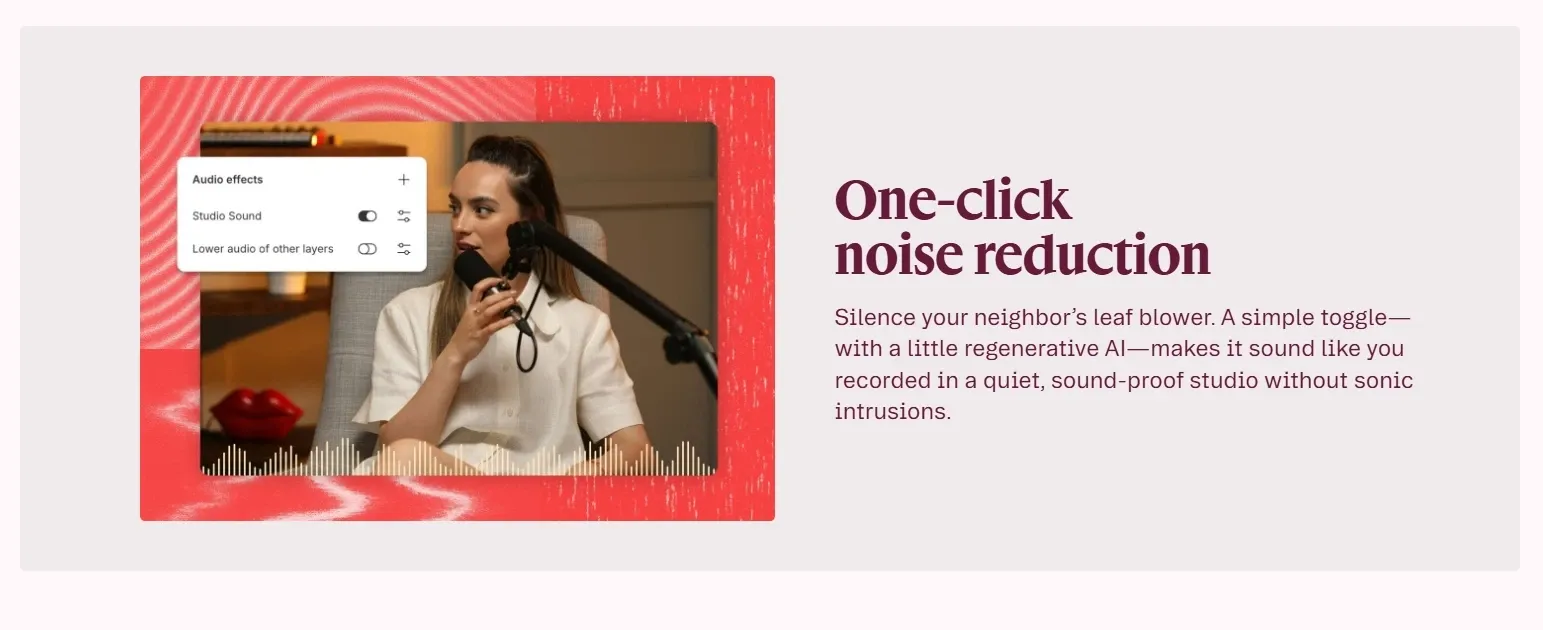
In comparison, CapCut also offers AI audio cleanup, but it is mainly designed for fast social video editing, where convenience is prioritized, while Descript focuses more on delivering natural and consistent voice quality for spoken content.
Eye Contact Correction for Talking Videos
With Descript’s eye contact correction, speakers appear to maintain direct eye contact, even when reading scripts or looking off-screen.
This improves viewer engagement and makes videos feel more polished and confident. It’s especially useful for sales videos, training content, or YouTube explainers where strong on-camera presence matters.

Filler Word Removal for Clean Speech
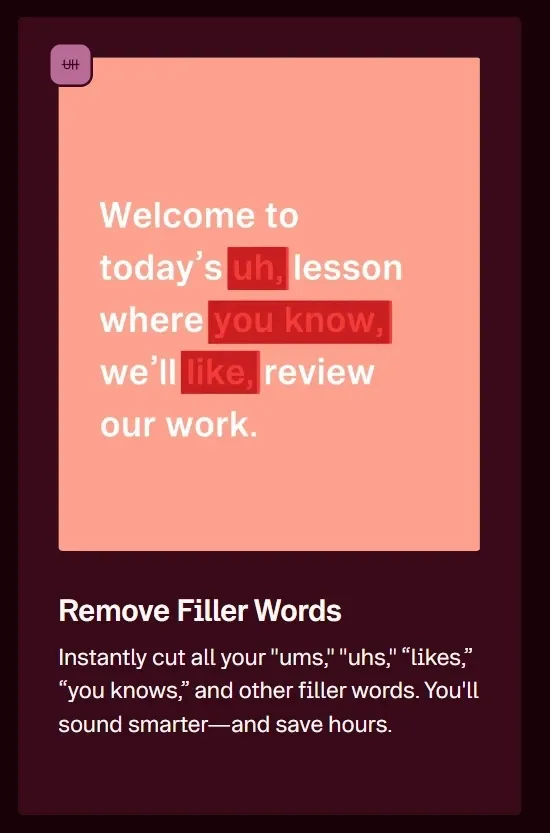
Descript detects and removes filler words and unnecessary pauses with just one click, helping content sound more concise and professional.
This is particularly valuable for podcast editing, interview recordings, and educational videos where clarity and pacing directly affect audience retention.
AI Regenerate for Speech Correction
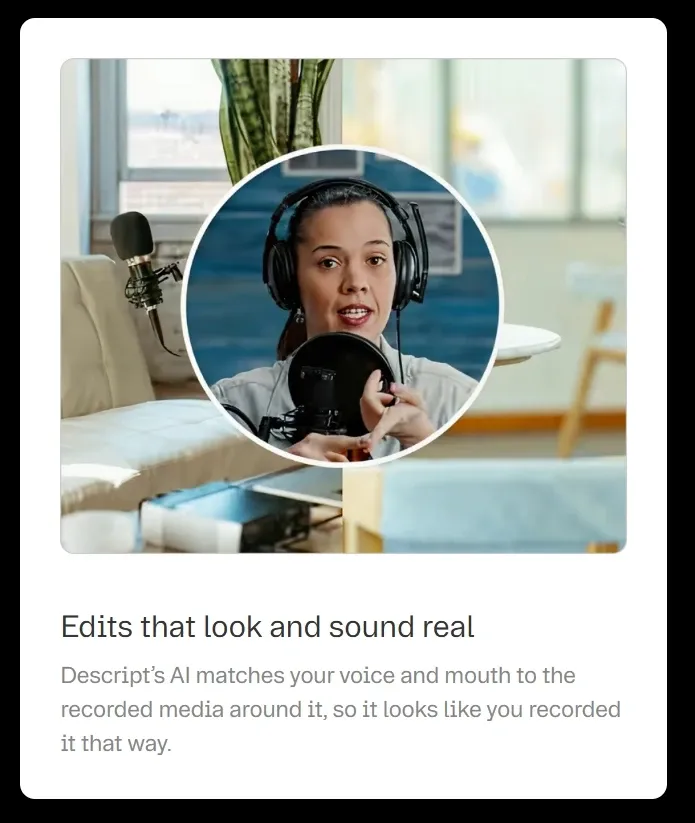
Descript corrects mispronunciations or script errors simply by editing the transcript, and regenerates the audio to match your voice and tone.
This eliminates the need for re-recording and speeds up revisions, making it highly practical for product demos, course videos, or client-facing presentations that require frequent updates.
AI Avatar Video Creation
By using Descript AI avatars that speak on your behalf, you can turn scripts or audio into presenter-style videos. Descript lets you choose a preset avatar or generate your own, then sync it with your voice or AI speech for consistent delivery.
This is especially useful for training videos, product explainers, or internal updates that need to be created frequently and at scale.
Descript generates presenter-style videos by syncing scripts or audio with AI avatars for consistent delivery.
TikTV.AI builds its AI avatar further by placing avatars within complete scenes, with natural gestures, product interactions, and pacing that shape a full video, not just a talking head.
As a result, TikTV.AI delivers more immersive, production-ready content with expressive motion and real context, rather than simple avatar clips.
Quick Video Layout and B-Roll Generation
You can use the quick design and AI video generation tools of Descript to format your content and insert relevant B-roll clips based on your script.
This helps transform simple recordings into more engaging, visually rich videos without manual editing, especially useful for marketing clips, explainer videos, and social content.
TikTV.AI takes a more generative approach. Its AI B-roll generator creates entirely new footage from your script, matching visuals directly to your ideas instead of pulling from pre-existing clips.
This gives you more creative freedom, allowing each scene to feel original and tailored, rather than relying on standard B-roll inserts.
Remote Recording with Rooms
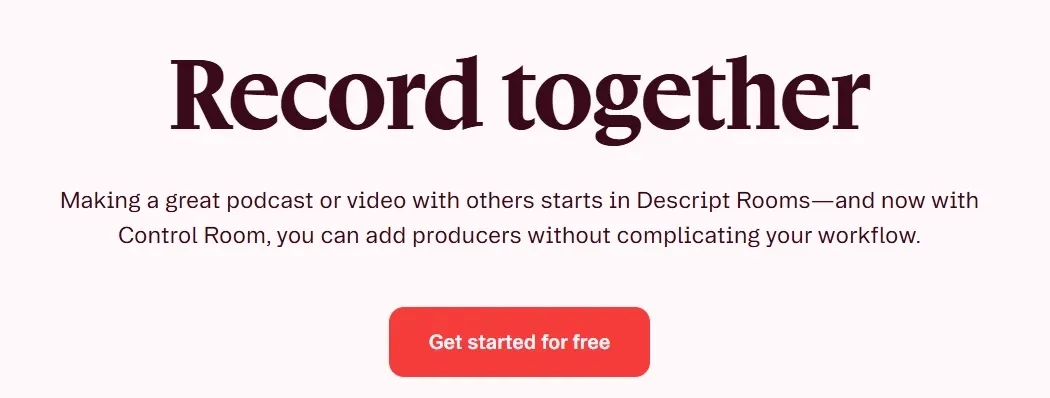
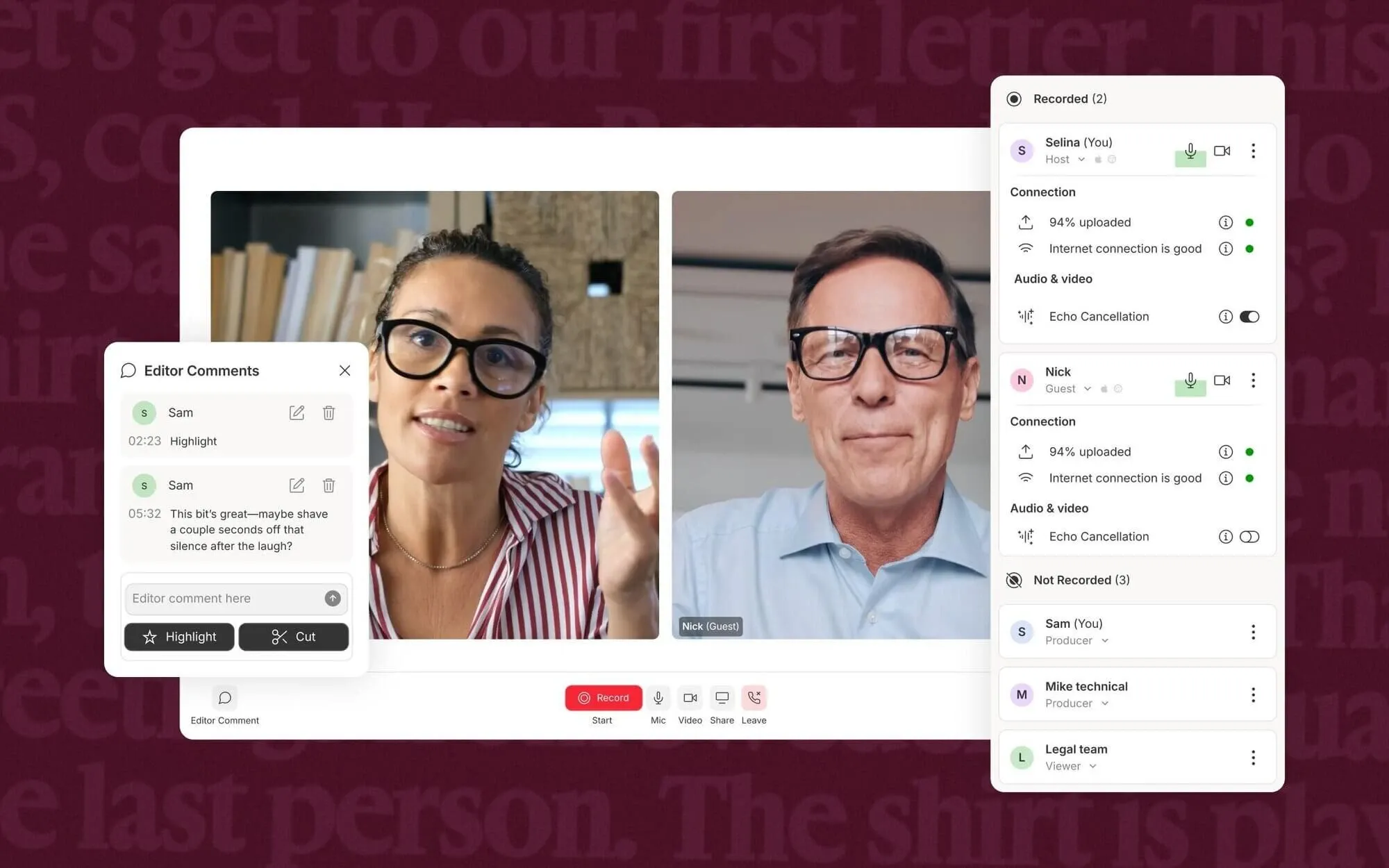
With Descript, it is effortless to invite guests to join a recording session via Rooms and capture each participant’s audio and video locally for better quality.
This makes remote interviews and podcast production more reliable and easier to manage, especially for distributed teams creating regular content without in-person setups.
Where Descript Works Best
- Content Creators & YouTubers: Turn raw talking-head recordings into clean videos by editing transcripts, removing filler words, and fixing mistakes without re-recording.
- Podcast Hosts & Interview-Based Creators: Clean up interview recordings with Studio Sound and text-based editing, so you can quickly refine episodes and publish without complex audio workflows.
- Marketing Teams & Social Media Managers: Convert scripts or rough recordings into polished videos with captions, B-roll, and avatars, making it easier to produce consistent content for campaigns and social channels.
- Sales & Customer Success Teams: Create product demos or updates by editing scripts directly, avoiding repeated recordings while keeping messaging clear and consistent.
- Learning & Development (L&D) Teams: Turn training materials and internal guides into structured videos with screen recording and voice cleanup, so employees can follow processes without repeated live sessions.
Descript vs CapCut vs Pictory vs TikTV.AI: Feature Comparison
| Features | Descript | CapCut | Pictory | TikTV.AI |
| Core Focus | Text-based editing | Social video editing | Text-to-video automation | Ready-to-post AI video + image creation |
| Editing Style | Edit via transcript | Timeline + drag & drop | Fully automated editing | Prompt-based + AI editing |
| Ease of Use | Very easy (no editing skills) | Easy (visual UI) | Very easy (no editing needed) | Easy (guided workflow) |
| Recording Capability | Built-in screen & mic recording | Basic screen recording | No recording | No recording focus |
| Best For | Podcasts, talking videos | TikTok, Reels, short videos | Repurposing content at scale | Ready-to-publish videos |
| Workflow Type | Edit existing recordings | Create & edit visually | Generate videos from text | Idea to full video flow |
| Agent | None | None | None | TikTV Agent (simple ideas to ready-to-publish contents) |
Descript stands out by combining recording and text-based editing in one workflow, making it easy to capture and refine spoken-content videos. CapCut focuses on visual timeline editing, while Pictory leans toward automated text-to-video generation.
In contrast, TikTV.AI centers on turning ideas into complete, ready-to-publish videos through a unified, agent-driven workflow.
Where Descript Is Positioned in the Market
Descript sits between traditional editors and AI tools, with a focus on editing and refining spoken content like podcasts and voice-driven presentations.
It is built around transcripts, making it especially suited for content that starts from speech or text rather than visual storytelling.
It works best as a content editing layer, helping users turn recordings into polished outputs quickly through text-based editing, audio cleanup, and AI-assisted corrections, rather than generating complex visuals from scratch.
Compared to visual-first tools, Descript prioritizes speed, clarity, and workflow efficiency over creative flexibility, making it more practical for communication-driven content than highly stylized video production.
What Users Actually Think of Descript
User feedback on Descript highlights its strong accessibility. Many users praise its amazing functionality for everyday non-video editors, making it easy to create and edit videos without learning complex tools.
At the same time, some users point out workflow limitations. One common issue is not being able to “select multiple items at once,” which can make simple tasks repetitive and slow down editing.
Overall, Descript is widely seen as beginner-friendly and efficient for basic workflows, but it may feel limiting for users who need more advanced editing control.
Why TikTV.AI Goes Beyond Descript
While tools like Descript are great for editing and refining spoken content, they can feel limited when it comes to generating visually rich videos or handling more creative production needs.
TikTV.AI combines advanced video generation and editing in one platform, integrating popular video models like Seedance and Veo to create high-quality videos from text, images, or ideas with greater control and flexibility.
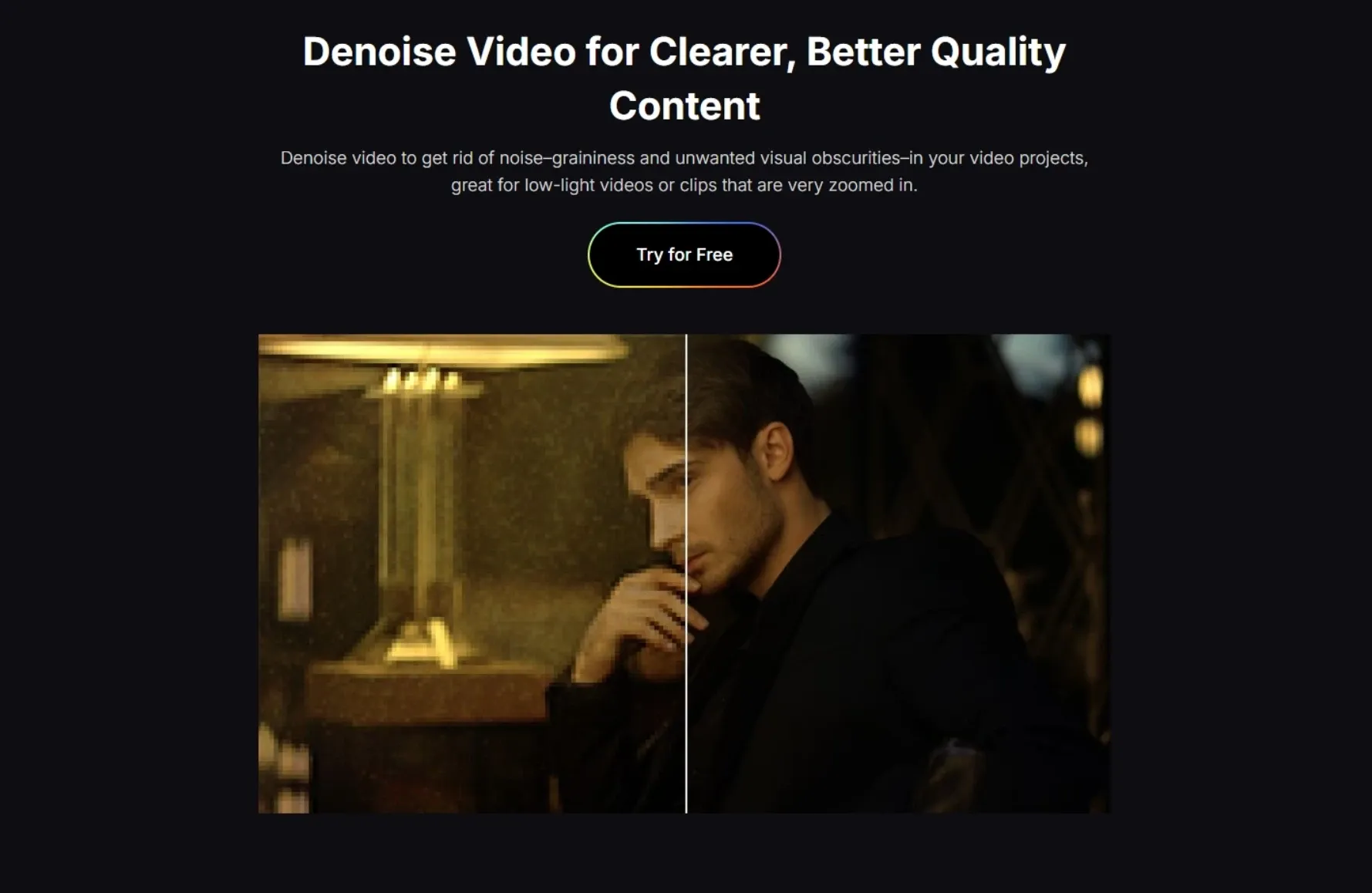
Beyond generation, TikTV.AI also provides a wide range of practical video editing tools, including background removal and noise reduction, so you can refine your content without switching between different tools.
On top of that, TikTV Agent helps automate the entire workflow by turning ideas, scripts, or product inputs into post-ready video content without any editing, making it especially powerful for marketers and teams who need to produce consistent, scalable content across platforms.
Descript的关键特征
基于文本的视频编辑:通过编辑文本而不是时间轴来编辑视频。
AI语音清理,音质媲美录音棚:无需专业设备,即可立即提升音频质量。
眼神交流矫正:让屏幕上的说话者看起来自然地与镜头互动。
删除填充词:自动去除语音中的“嗯”、“啊”和尴尬的停顿。
AI语音修复:无需重新录音,即可通过编辑文本来修正语音错误。
AI虚拟形象视频制作:无需自拍即可制作演讲者视频。
基于文本的视频编辑
使用Descript,您只需修改文字稿即可编辑视频,删除句子来剪切片段,或重新排列段落来改变结构。
这省去了复杂的视频时间线编辑,让视频制作像编辑文档一样简单。它显著降低了学习难度,尤其适合那些经常制作教程、内部更新或访谈视频等内容的非剪辑人员。
Descript通过修改文字稿来编辑视频,无需时间轴即可轻松剪辑和调整视频结构。TikTV AI的AI 视频编辑器更进一步,允许您使用文本提示重写视频本身,例如更改背景、移除物体或添加特效。
AI语音清理,录音棚级音质
Descript 的Studio Sound 功能可自动消除背景噪音、回声和不均匀的音频电平,将原始录音转换为干净、录音棚般的输出。
这使得创作者无需投资昂贵的麦克风或录音设备即可制作出专业水准的内容,非常适合播客录制、远程采访或快速配音制作。
相比之下, CapCut也提供 AI 音频清理功能,但它主要面向快速社交视频编辑,以便捷性为优先考量;而Descript则更注重为口语内容提供自然一致的语音质量。
视频对话中的眼神交流矫正
Descript 的眼神交流校正功能可以让演讲者即使在阅读稿件或看向屏幕外时,也能保持直接的眼神交流。
这可以提升观众参与度,让视频看起来更精致、更有自信。对于销售视频、培训内容或YouTube讲解视频来说尤其有用,因为在这些视频中,强大的镜头表现力至关重要。
去除填充词,使语言流畅
Descript只需单击一下即可检测并删除填充词和不必要的停顿,帮助内容听起来更简洁、更专业。
这对于播客剪辑、采访录音和教育视频尤其有价值,因为清晰度和节奏直接影响观众的留存率。
AI语音矫正再生
Descript只需编辑转录稿即可纠正发音错误或脚本错误,并重新生成音频以匹配您的声音和语气。
这样就无需重新录制,加快了修改速度,对于需要频繁更新的产品演示、课程视频或面向客户的演示来说非常实用。
AI虚拟形象视频制作
通过使用Descript 的AI 虚拟形象来代替您说话,您可以将脚本或音频转换为主持人风格的视频。Descript 让您选择预设的虚拟形象或生成自己的虚拟形象,然后将其与您的声音或 AI 语音同步,从而实现一致的表达。
这对于需要频繁且大规模创建的培训视频、产品讲解视频或内部更新尤其有用。
Descript通过将脚本或音频与 AI 虚拟形象同步来生成主持人风格的视频,从而实现一致的呈现效果。
TikTV AI通过将虚拟形象放置在完整的场景中,进一步构建其AI 虚拟形象,使其拥有自然的手势、产品互动和节奏,从而形成完整的视频,而不仅仅是一个会说话的虚拟形象。
因此, TikTV AI能够提供更具沉浸感、可用于制作的内容,具有生动的动作和真实的背景,而不是简单的虚拟形象片段。
快速视频布局和 B-Roll 素材生成
您可以使用Descript的快速设计和 AI 视频生成工具来格式化您的内容,并根据您的脚本插入相关的 B-roll 片段。
这有助于将简单的录制内容转化为更具吸引力、视觉效果更丰富的视频,而无需手动编辑,尤其适用于营销短片、解释视频和社交内容。
TikTV AI采用了一种更具生成性的方法。它的AI B-roll 生成器会根据您的脚本创建全新的素材,将视觉效果直接与您的想法相匹配,而不是从预先存在的片段中提取素材。
这赋予你更大的创作自由,使每个场景都感觉原创且量身定制,而不是依赖于标准的 B-roll 插入镜头。
使用 Rooms 进行远程录制
使用Descript,您可以轻松地通过 Rooms 邀请嘉宾加入录制会议,并在本地捕获每个参与者的音频和视频,以获得更好的质量。
这使得远程采访和播客制作更加可靠和易于管理,尤其适用于无需现场设置即可定期制作内容的分布式团队。
Descript最适用的场景
内容创作者和 YouTube 用户:通过编辑文字稿、删除填充词和纠正错误,无需重新录制,即可将原始的访谈录音变成清晰的视频。
播客主持人及访谈类节目创作者:使用录音棚音效和基于文本的编辑功能清理访谈录音,以便您可以快速完善节目并发布,而无需复杂的音频工作流程。
营销团队和社交媒体经理:将脚本或粗略录音转换为带有字幕、B-roll 和虚拟形象的精美视频,从而更容易为营销活动和社交渠道制作一致的内容。
销售和客户成功团队:通过直接编辑脚本创建产品演示或更新,避免重复录制,同时保持信息清晰一致。
学习与发展 (L&D) 团队:将培训材料和内部指南转换为结构化的视频,并进行屏幕录制和语音清理,以便员工无需重复参加直播课程即可遵循流程。
Descript在市场中的定位
Descript介于传统编辑器和 AI 工具之间,专注于编辑和完善播客和语音驱动的演示文稿等口语内容。
它以文字稿为基础构建,因此特别适合以语音或文本而非视觉叙事为开头的内容。
它最适合用作内容编辑层,通过基于文本的编辑、音频清理和 AI 辅助校正,帮助用户快速将录音转换为精美的输出,而不是从头开始生成复杂的视觉效果。
与视觉优先的工具相比, Descript更注重速度、清晰度和工作流程效率,而非创意灵活性,因此它更适合以沟通为导向的内容,而不是高度风格化的视频制作。
用户对Descript的真实看法
用户对Descript 的反馈凸显了其强大的易用性。许多用户称赞它为日常非视频编辑人员提供了出色的功能,使他们无需学习复杂的工具即可轻松创建和编辑视频。
与此同时,一些用户指出了工作流程方面的局限性。一个常见的问题是无法“一次选择多个项目”,这会导致简单的任务变得重复,并减慢编辑速度。
总体而言, Descript被广泛认为对初学者友好且高效,适用于基本工作流程,但对于需要更高级编辑控制的用户来说,它可能存在局限性。
为什么TikTV AI超越了Descript
虽然像Descript这样的工具非常适合编辑和完善语音内容,但在生成视觉效果丰富的视频或处理更具创意的制作需求方面,它们可能会显得力不从心。
TikTV AI将先进的视频生成和编辑功能集成在一个平台上,整合了Seedance和Veo等流行的视频模型,能够以更大的控制力和灵活性,从文本、图像或想法中创建高质量的视频。
除了视频生成功能外, TikTV AI还提供各种实用的视频编辑工具,包括背景移除和降噪功能,因此您可以无需在不同工具之间切换即可完善您的内容。
除此之外, TikTV 智能体还能将创意、脚本或产品输入转化为可直接发布的视频内容,无需任何编辑,从而帮助实现整个工作流程的自动化,这对于需要在各个平台上制作一致、可扩展内容的营销人员和团队来说尤其强大。
TikTV AI脱颖而出的 3 种方式
访问多个顶级视频模型
在领先的模型之间切换,以平衡质量、风格和可靠性,为您提供比依赖单一工作流程更大的灵活性。
使用 TikTV 智能体制作可直接发布的视频
将创意、脚本或产品输入转化为结构化、可发布的视频,使团队能够更轻松地为广告和社交渠道制作一致的内容。
专为 UGC 和大规模应用而构建的先进数字人
生成更自然、更具吸引力的数字人视频,无需额外编辑或重新拍摄,即可用于 UGC 风格的内容和大规模营销。
在TikTV AI上探索更多 AI 视频编辑器
常见问题解答
什么是Descript?
Descript是一款一体化 AI 视频和音频编辑器,可让您通过编辑文本来编辑内容,使视频制作感觉就像在处理文档一样。它将录制、转录、编辑和 AI 工具结合在一个工作流程中,因此您可以快速将原始录音转换为精美的视频或播客。填充词删除、语音增强和屏幕录制等功能使其在口语内容编辑中特别有用,因为在口语内容编辑中,速度和清晰度最重要。
Descript适合初学者使用吗?
是的, Descript被广泛认为是适合初学者的软件,因为它无需传统的剪辑时间线。用户只需删除或编辑文字记录中的单词即可修改视频或音频,这使得它比标准编辑工具更容易学习。
Descript有哪些用途?
Descript主要用于编辑播客、谈话视频、采访、教程和社交媒体片段。它支持在一个地方进行录制、转录、编辑和发布,因此用户无需使用多个工具来完成工作流程。
Descript 的文本编辑功能是如何运作的?
Descript会自动将您的音频或视频转录成文字。然后,您可以通过删除或修改文字记录中的单词来编辑内容,这些更改将直接应用于媒体。这样就无需在时间轴上手动剪辑。
Descript适合专业视频剪辑吗?
Descript非常适合以语音和交流为重点的内容,但对于高级视觉编辑或更具创意、制作量大的工作流程,它可能会显得力不从心。对于需要更强大的视频生成、视觉控制和一体化制作的用户, TikTV AI通过将领先的视频模型、编辑工具和自动化工作流程结合到单个平台中,提供了更灵活的解决方案。