TikTV.AI
Agente
Apps

Marketer

Annunci video UGCVideo prodottoClona annunci videoVideo per annunci FacebookVideo testimonianza

Social media

Clona video viraleVideo celebritàOutro YouTubeVideo senza voltoVideo ragazza che balla

Cinema

Video boomerangTrailer cinematograficoGeneratore B-rollVideo teaser

Musica

Video musicaleVideo musicale narrativoVideo di cantoVideo con testoVideo bimbo che balla

Altro

Video esplicativoVideo storiaVideo notizieVideo animeVedi altro ›
Video AI
AI da immagine a video

Anima un’immagine statica trasformandola in un video realistico e dinamico.

AI da testo a video

Trasforma semplici prompt testuali in video coinvolgenti.

Da riferimento a video

Mantieni coerenti personaggi, oggetti o scene per tutto il video.

AI da video a video

Ricrea video esistenti in qualsiasi stile di animazione creativo.

Generatore di animazioni AI

Genera video anime e cartoon con stili visivi curati.

Avatar da foto a video

Crea avatar video realistici da un singolo ritratto.

Editor video AI

Modifica video all’istante con semplici prompt testuali.

Modelli video supportati

Seedance 2.0NuovoVeo 3PopolareSora 2Kling AIHailuo AIPixVerse AIRunwayVidu AILuma AIPika AIWan AIHunyuan
Immagini AI
Generatore di immagini AI

Trasforma le tue idee in immagini AI accattivanti e credibili, in qualsiasi stile.

AI da immagine a immagine

Trasforma le tue immagini in nuovi stili e varianti personalizzate.

Editor foto AI

Modifica, migliora e abbellisci foto con prompt testuali.

Modelli immagine supportati

GPT Image 2PopolareNano Banana 2RecraftIdeogramStable DiffusionFLUXSeedreamPopolareDall-EImagenGPT-4oFlux KontextQwen ImageWan AI
Strumenti AI

Strumenti video

Upscaler video AIMiglioratore video AIDa video ad animeFiltri video AIGeneratore di danza AIMiglioratore video animeVedi altro

Strumenti immagine

Rimozione sfondoRimozione oggettiMiglioratore immaginiGeneratore Ghibli AIUpscaler animeGeneratori di immaginiVedi altro
API
‹

Video Background Remover

Upload Video *

We accept MP4, WebM, MOV, and GIF formats up to 2GB, with a maximum resolution of 4K and a frame rate of 30 FPS.

Credits required:~Credits

Video Background Remover

Video Background Remover with Professional-Grade Results

Try our powerful video background remover to create stunning videos for personal or commercial projects. Set transparent backdrops to place video subjects in new environments without needing any professional editing experience!

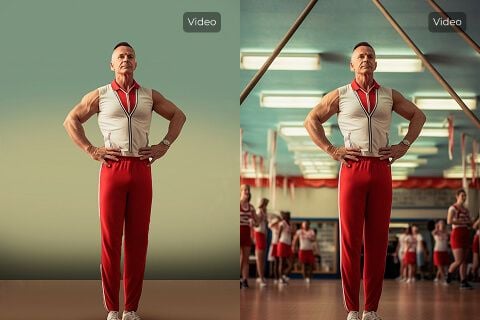
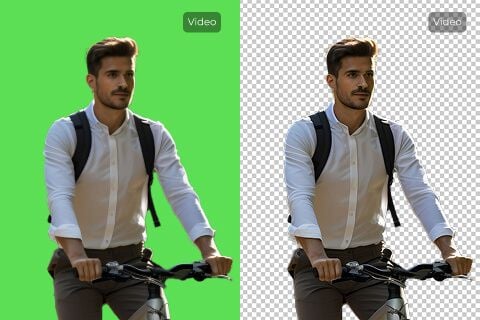
Replace Green Screens

Replace Green Screens

Using our video background remover, you can remove green screen backgrounds in just one click. No need for advanced video editing software. Overlay AI-generated footage onto a transparent backdrop, then add any image or scene you like.
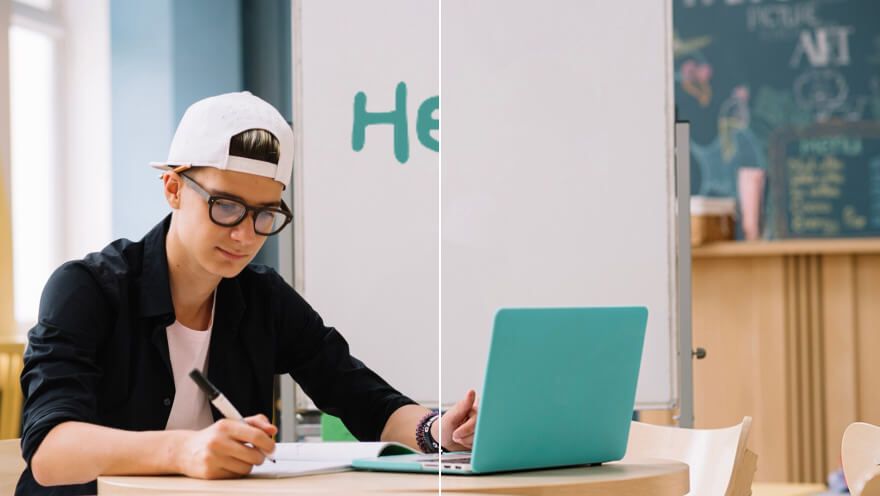
Improve Product Visual Consistency

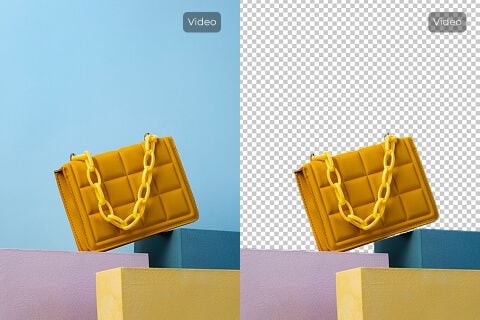
Improve Product Visual Consistency

Publishing product video content online often demands visual consistency. With our video background remover, erase cluttered backgrounds and replace them with a cleaner, more impactful backdrop that highlights your product.

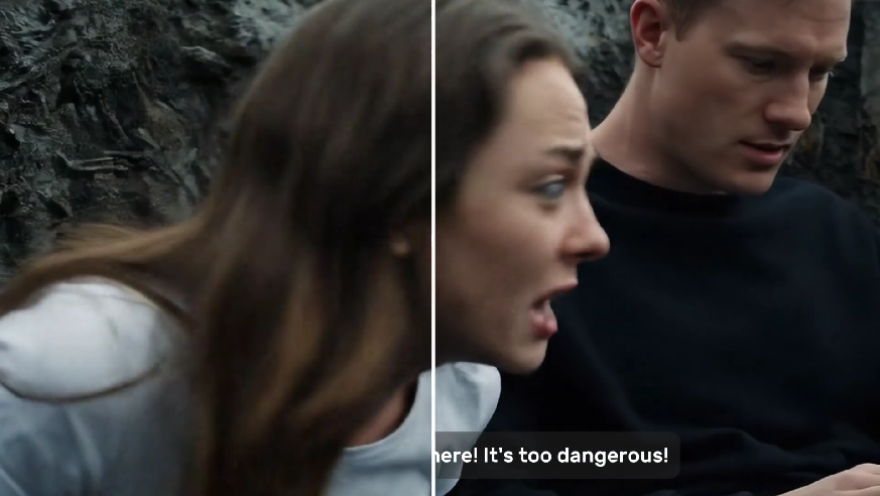
Repurpose Video Content

Repurpose Video Content

Erase video backgrounds in one click and create transparent assets that embed seamlessly across platforms—websites, ads, presentations, and more.

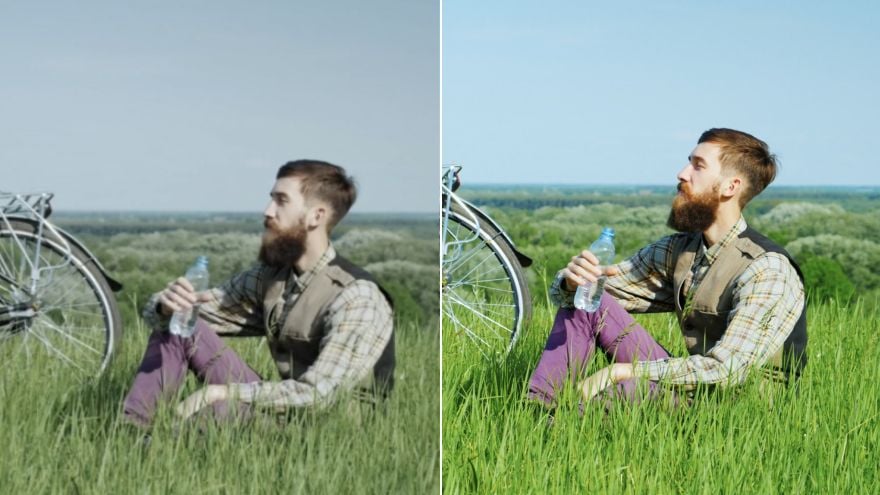
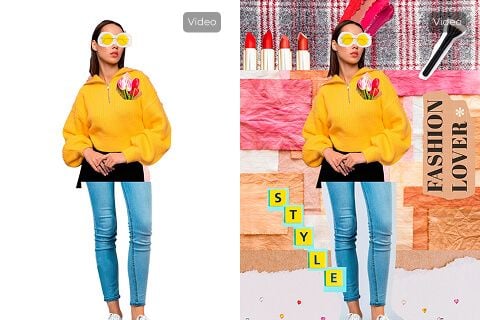
Enhance Video Appeal

Enhance Video Appeal

Instantly remove unwanted environments and backgrounds to improve overall appeal, then replace them with something more engaging.

Who needs a clean video background?

Remove cluttered product backgrounds

Product footage looks cleaner in product videos when rooms, tables, or walls stop distracting from the item itself.

Keep ad visuals focused

Before creator clips become UGC video ads, remove busy backgrounds so the product and speaker stay centered.

Polish teaser footage

Early shoots look more refined in trailers when cluttered backgrounds are replaced or removed.

Make lessons easier to follow

In tutorial videos, a clean background keeps attention on the instructor and the content being taught.

How Does Our Video Background Remover Work?

Step

1
Upload the video whose background you want removed.

Step

2
Wait a few minutes while our video background remover processes it.

Step

3
Once complete, download the edited video for free.

Explore Other AI Video Editing Tools

Video Object RemoverUse This Tool
Video Object Remover
Video Subtitle RemoverUse This Tool
Video Subtitle Remover
Video EnhancerUse This Tool
Video Enhancer
AI Video FiltersUse This Tool
AI Video Filters

FAQs

What is a video background remover?

It is an AI tool that automatically separates the subject from the background across video frames, producing a transparent or clean backdrop for compositing.

What is unique about our video background remover?

TikTV.AI focuses on one-click processing, credit-based pricing aligned with Pollo (10 credits/sec), and seamless jumps from Create results.

Is our video background remover free?

You can try it with account credits. Each run costs 10 credits per second of input video (rounded up).

Will the video quality be impacted by the video background removal?

The tool aims to preserve subject detail while removing the background. Extremely low-light or complex edges may need a second pass.

What video formats does the video background remover support?

MP4, WebM, MOV, and GIF up to 2GB, maximum 4K resolution, and 30 FPS.

Can this video background remover be used on mobile?

Yes. The page works on mobile browsers; for large files, desktop upload is recommended.

How fast does this video background remover run?

Most clips finish in a few minutes. Time varies with file size and scene complexity.

Can I remove backgrounds from multiple videos?

Yes. Process videos one at a time; each run consumes credits based on duration.

How do I use this video background remover?

Upload a video (or open from Create with a prefilled clip), optionally set visibility options, then click Generate.

Can I replace the background with something else using this tool?

This tool removes the background to transparency. You can then composite a new scene in an editor of your choice.

Can I remove video subtitles with this tool?

No. Use the Video Subtitle Remover for burned-in captions.

Erase video backgrounds with unmatched precision!

Upload a video to remove the background instantly and create clean clips ready for any platform.

Strumenti creativi
Generatore di video AI
Testo in video AI
Immagine in video AI
Riferimento a video
Immagine in avatar video
Editor di video AI
Imitazione del movimento
Video in video AI
Generatore di immagini AI
Immagine in immagine AI
Editor di foto AI
Generatore di voci AI
Strumenti per video AI
Strumenti per immagini AI
Generatori di immagini
LoRAs
Modelli video
Veo 3
Sora 2
Kling 3.0
Seedance 2.0
Kling AI
Hailuo AI
PixVerse AI
Runway
Vidu AI
Luma AI
Wan AI
Hunyuan
Altri modelli
Modelli immagine
GPT Image 2
Nano Banana 2
Recraft
Ideogram
Stable Diffusion
Flux AI
Seedream
Dall-E
Imagen
GPT-4o
Flux Kontext
Qwen Image
Wan AI
Altri modelli
App
Generatore di video virali
Annunci video UGC
Annunci video clonati
Video anime
Video di storia
Video musicale
Video di notizie
Video esplicativo
Video Instagram
Video Facebook
Video B-Roll
Outro YouTube
Video di compleanno
Video tributo
Altre app
Azienda
Chi siamo
Contattaci
Prezzi
API
Registro delle modifiche
Server MCP
  • Migliori strumenti IA
  • Recensioni
  • Tutorial
  • Alternative
  • Approfondimenti sui modelli IA
  • Consigli per i social media
  • Tutti gli articoli
Scarica l'app
Community
Programma per Partner Creativi
Programma di Affiliazione
Politica di Rimborso
Politica sulla Privacy
Termini e Condizioni
TikTV.AI
APK

Italiano

  • English
  • Русский
  • Português
  • 日本語
  • Español
  • ภาษาไทย
  • Italiano
  • Türkçe
  • Deutsch
  • Nederlands
  • Français
  • 한국어
  • Polski
  • العربية
  • Norsk bokmål
  • Dansk
  • Bahasa Indonesia
  • 繁體中文
  • 简体中文

Copyright 2026 TikTV.AI. Tutti i diritti riservati.

Trustscore 4.43500+ recensioni