TikTV.AI
الوكيل
Apps

المسوّقون

إعلانات فيديو UGCفيديو المنتجاستنساخ إعلانات الفيديوفيديو إعلان فيسبوكفيديو شهادة العملاء

وسائل التواصل الاجتماعي

استنساخ فيديو رائجفيديو المشاهيرخاتمة يوتيوبفيديو بدون وجهفيديو فتاة ترقص

صناعة الأفلام

فيديو بوميرانغإعلان فيلممولّد لقطات B-rollفيديو تشويقي

الموسيقى

فيديو موسيقيفيديو موسيقي سرديفيديو غناءفيديو كلمات الأغنيةفيديو طفل يرقص

المزيد

فيديو توضيحيفيديو قصةفيديو أخبارفيديو أنميعرض المزيد ›
ذكاء اصطناعي للفيديو
تحويل الصورة إلى فيديو بالذكاء الاصطناعي

حوّل صورة ثابتة إلى فيديو واقعي وديناميكي.

تحويل النص إلى فيديو بالذكاء الاصطناعي

حوّل المطالبات النصية البسيطة إلى مقاطع فيديو جذابة.

تحويل المرجع إلى فيديو

حافظ على اتساق الشخصيات أو العناصر أو المشاهد طوال الفيديو.

تحويل الفيديو إلى فيديو بالذكاء الاصطناعي

أعد إنشاء مقاطع الفيديو الحالية بأي أسلوب رسوم متحركة إبداعي.

مولّد الرسوم المتحركة بالذكاء الاصطناعي

أنشئ فيديوهات أنمي وكرتون بأساليب بصرية مصقولة.

تحويل الصورة إلى أفاتار فيديو

أنشئ أفاتارات فيديو واقعية من صورة شخصية واحدة.

محرر فيديو بالذكاء الاصطناعي

عدّل الفيديوهات فوراً باستخدام مطالبات نصية بسيطة.

نماذج الفيديو المدعومة

Seedance 2.0جديدVeo 3رائجSora 2Kling AIHailuo AIPixVerse AIRunwayVidu AILuma AIPika AIWan AIHunyuan
ذكاء اصطناعي للصور
مولّد صور بالذكاء الاصطناعي

حوّل أفكارك إلى صور ذكاء اصطناعي جذابة وواقعية بأي أسلوب.

تحويل الصورة إلى صورة بالذكاء الاصطناعي

حوّل صورك إلى أنماط جديدة وتنويعات مخصصة.

محرر صور بالذكاء الاصطناعي

عدّل الصور وحسّنها وجمّلها باستخدام مطالبات نصية.

نماذج الصور المدعومة

GPT Image 2رائجNano Banana 2RecraftIdeogramStable DiffusionFLUXSeedreamرائجDall-EImagenGPT-4oFlux KontextQwen ImageWan AI
أدوات الذكاء الاصطناعي

أدوات الفيديو

ترقية دقة الفيديو بالذكاء الاصطناعيتحسين الفيديو بالذكاء الاصطناعيتحويل الفيديو إلى أنميفلاتر فيديو بالذكاء الاصطناعيمولّد رقص بالذكاء الاصطناعيمحسّن فيديو الأنميعرض المزيد

أدوات الصور

إزالة الخلفيةإزالة العناصرمحسّن الصورمولّد Ghibli بالذكاء الاصطناعيترقية دقة الأنميمولدات الصورعرض المزيد
API
‹

Video Background Remover

Upload Video *

We accept MP4, WebM, MOV, and GIF formats up to 2GB, with a maximum resolution of 4K and a frame rate of 30 FPS.

Credits required:~Credits

Video Background Remover

Video Background Remover with Professional-Grade Results

Try our powerful video background remover to create stunning videos for personal or commercial projects. Set transparent backdrops to place video subjects in new environments without needing any professional editing experience!

Replace Green Screens

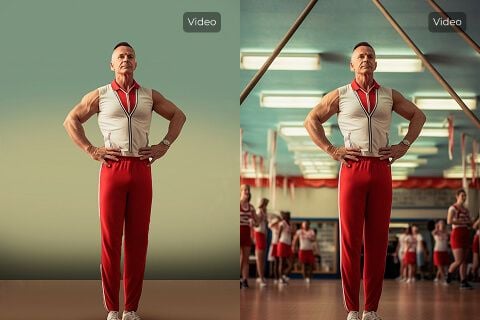
Replace Green Screens

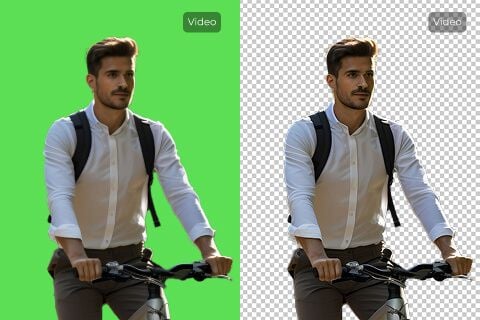
Using our video background remover, you can remove green screen backgrounds in just one click. No need for advanced video editing software. Overlay AI-generated footage onto a transparent backdrop, then add any image or scene you like.
Improve Product Visual Consistency

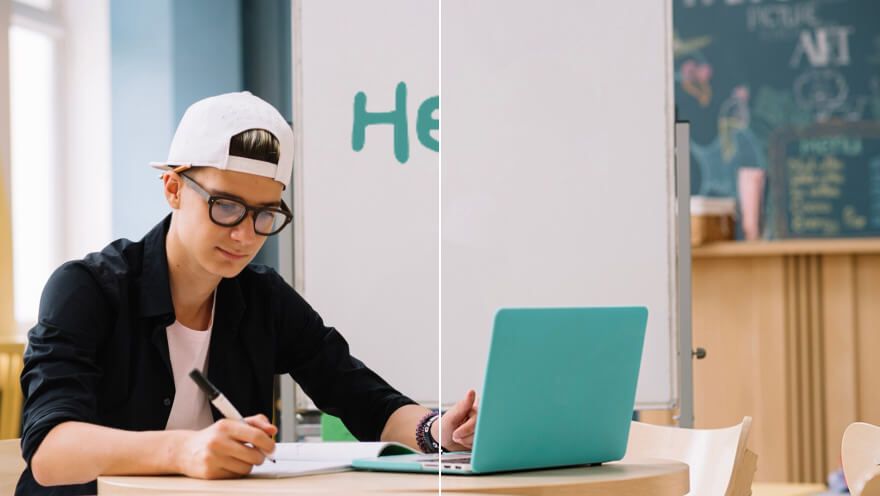
Improve Product Visual Consistency

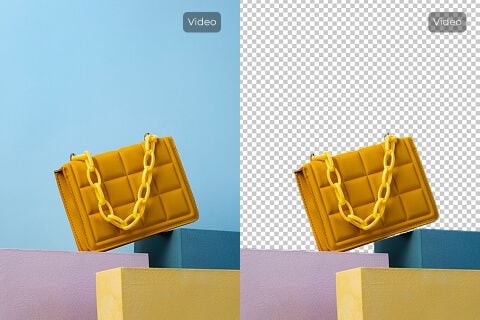
Publishing product video content online often demands visual consistency. With our video background remover, erase cluttered backgrounds and replace them with a cleaner, more impactful backdrop that highlights your product.

Repurpose Video Content

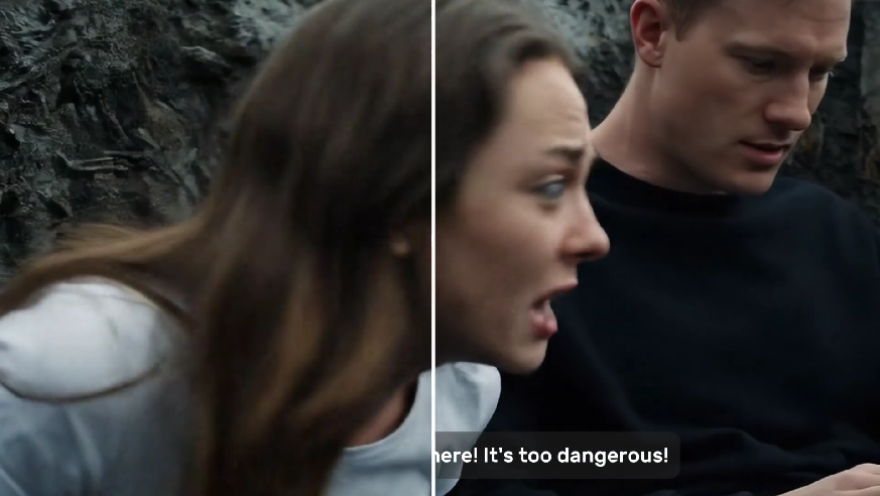
Repurpose Video Content

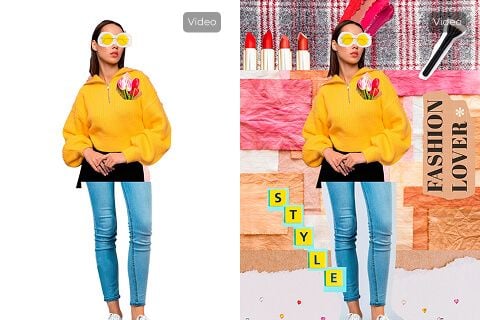
Erase video backgrounds in one click and create transparent assets that embed seamlessly across platforms—websites, ads, presentations, and more.

Enhance Video Appeal

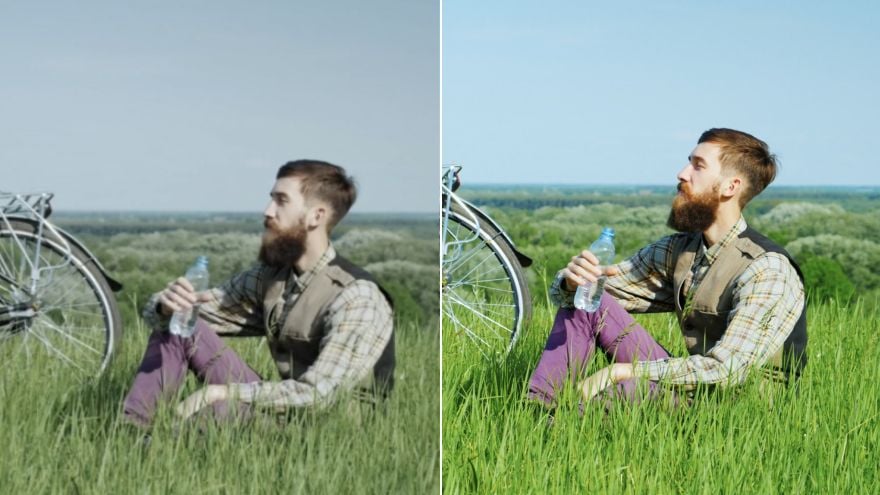
Enhance Video Appeal

Instantly remove unwanted environments and backgrounds to improve overall appeal, then replace them with something more engaging.

Who needs a clean video background?

Remove cluttered product backgrounds

Product footage looks cleaner in product videos when rooms, tables, or walls stop distracting from the item itself.

Keep ad visuals focused

Before creator clips become UGC video ads, remove busy backgrounds so the product and speaker stay centered.

Polish teaser footage

Early shoots look more refined in trailers when cluttered backgrounds are replaced or removed.

Make lessons easier to follow

In tutorial videos, a clean background keeps attention on the instructor and the content being taught.

How Does Our Video Background Remover Work?

Step

1
Upload the video whose background you want removed.

Step

2
Wait a few minutes while our video background remover processes it.

Step

3
Once complete, download the edited video for free.

Explore Other AI Video Editing Tools

Video Object RemoverUse This Tool
Video Object Remover
Video Subtitle RemoverUse This Tool
Video Subtitle Remover
Video EnhancerUse This Tool
Video Enhancer
AI Video FiltersUse This Tool
AI Video Filters

FAQs

What is a video background remover?

It is an AI tool that automatically separates the subject from the background across video frames, producing a transparent or clean backdrop for compositing.

What is unique about our video background remover?

TikTV.AI focuses on one-click processing, credit-based pricing aligned with Pollo (10 credits/sec), and seamless jumps from Create results.

Is our video background remover free?

You can try it with account credits. Each run costs 10 credits per second of input video (rounded up).

Will the video quality be impacted by the video background removal?

The tool aims to preserve subject detail while removing the background. Extremely low-light or complex edges may need a second pass.

What video formats does the video background remover support?

MP4, WebM, MOV, and GIF up to 2GB, maximum 4K resolution, and 30 FPS.

Can this video background remover be used on mobile?

Yes. The page works on mobile browsers; for large files, desktop upload is recommended.

How fast does this video background remover run?

Most clips finish in a few minutes. Time varies with file size and scene complexity.

Can I remove backgrounds from multiple videos?

Yes. Process videos one at a time; each run consumes credits based on duration.

How do I use this video background remover?

Upload a video (or open from Create with a prefilled clip), optionally set visibility options, then click Generate.

Can I replace the background with something else using this tool?

This tool removes the background to transparency. You can then composite a new scene in an editor of your choice.

Can I remove video subtitles with this tool?

No. Use the Video Subtitle Remover for burned-in captions.

Erase video backgrounds with unmatched precision!

Upload a video to remove the background instantly and create clean clips ready for any platform.

أدوات إبداعية
مولد الفيديوهات الاصطناعية
تحويل النص إلى فيديو باستخدام الذكاء الاصطناعي
تحويل الصورة إلى فيديو باستخدام الذكاء الاصطناعي
المرجع إلى الفيديو
تحويل الصورة إلى فيديو للصورة الشخصية
محرر الفيديوهات الاصطناعي
تقليد الحركة
تحويل الفيديو إلى فيديو باستخدام الذكاء الاصطناعي
مولد الصور الاصطناعية
تحويل الصورة إلى صورة باستخدام الذكاء الاصطناعي
محرر الصور الاصطناعي
مولد الصوت الاصطناعي
أدوات الفيديوهات الاصطناعية
أدوات الصور الاصطناعية
مولدات الصور
LoRAs
نماذج الفيديو
Veo 3
Sora 2
Kling 3.0
Seedance 2.0
Kling AI
Hailuo AI
PixVerse AI
Runway
Vidu AI
Luma AI
Wan AI
Hunyuan
مزيد من النماذج
نماذج الصور
GPT Image 2
Nano Banana 2
Recraft
Ideogram
Stable Diffusion
Flux AI
Seedream
Dall-E
Imagen
GPT-4o
Flux Kontext
Qwen Image
Wan AI
مزيد من النماذج
التطبيقات
مولد الفيديوهات الشائعة
إعلانات الفيديو من المحتوى المصنع من قبل المستخدمين
استنساخ إعلانات الفيديو
فيديو أنمي
فيديو قصة
فيديو موسيقي
فيديو أخبار
فيديو شرح
فيديو إنستغرام
فيديو فيسبوك
فيديو ب-رول
نهاية فيديو يوتيوب
فيديو عيد الميلاد
فيديو تكريم
مزيد من التطبيقات
الشركة
من نحن
تواصل معنا
التسعير
API
سجل التغييرات
خادم MCP
  • أفضل أدوات الذكاء الاصطناعي
  • المراجعات
  • الدروس
  • البدائل
  • رؤى نماذج الذكاء الاصطناعي
  • نصائح وسائل التواصل
  • جميع المقالات
تحميل التطبيق
المجتمع
برنامج الشركاء الفنيين
برنامج العمولة
سياسة الاسترداد
سياسة الخصوصية
الأحكام والشروط
TikTV.AI
APK

العربية

  • English
  • Русский
  • Português
  • 日本語
  • Español
  • ภาษาไทย
  • Italiano
  • Türkçe
  • Deutsch
  • Nederlands
  • Français
  • 한국어
  • Polski
  • العربية
  • Norsk bokmål
  • Dansk
  • Bahasa Indonesia
  • 繁體中文
  • 简体中文

حقوق النشر 2026 TikTV.AI. جميع الحقوق محفوظة.

Trustscore 4.43500+ مراجعة