
PixVerse V2.5
PixVerse V2.5 is an advanced AI video creation platform that enhances the process of generating high-quality videos from text and images. Launched in August, 2024, this version introduces several significant features aimed at improving user experience and output quality.
Key Features of PixVerse V2.5
Text-to-Video Generation: Create videos from text prompts
Image-to-Video Conversion: Create videos from uploaded images
Extended Video Length: Longest video outputs compared to other models of PixVerse
Character to Video: Create videos using consistent characters derived from uploaded images
Magic Brush: Define custom movements for your videos
Camera Movement Control: Extensive options to manipulate camera movements
Text-to-Video Generation
Users can create videos directly from text prompts using PixVerse V2.5, eliminating the need for pre-existing images. This feature allows for a straightforward and creative approach to video content creation.
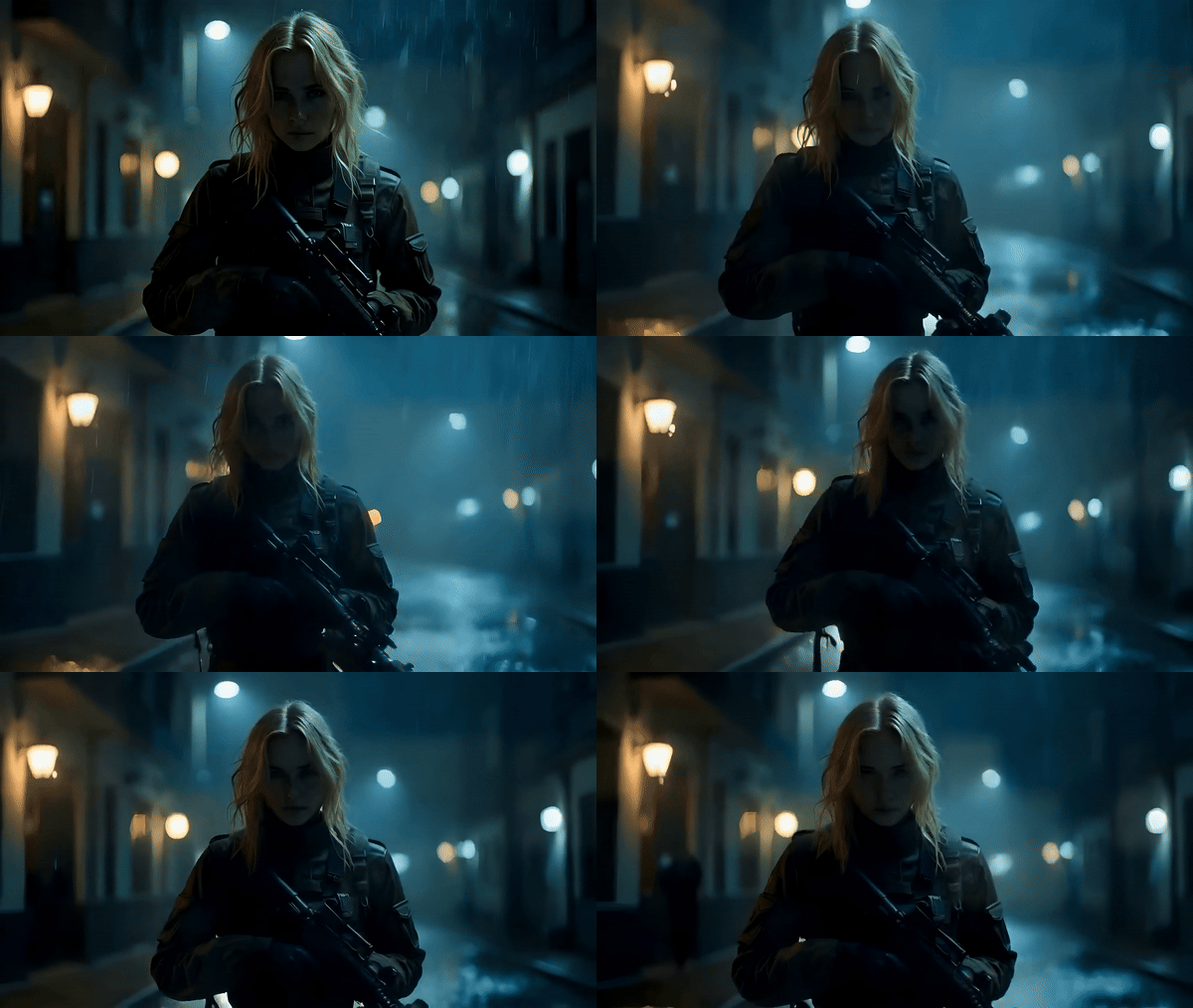
Image-to-Video Conversion
PixVerse V2.5 enables users to upload images and convert them into dynamic videos. The generated videos come with motion, transitions, and creative effects, bringing the uploaded static images to life.
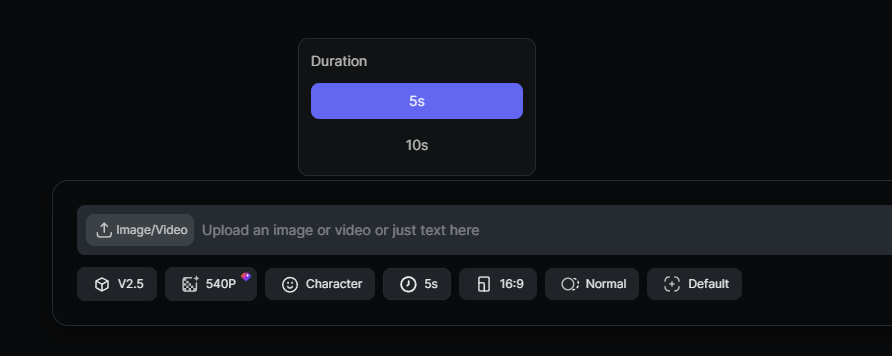
Extended Video Length
PixVerse V2.5 supports video lengths of up to 10 seconds, which is the longest compared to all other currently available models (PixVerse V2, PixVerse V3, PixVerse V3.5). This provides more flexibility for content creators.
Character to Video
The Character to Video feature in PixVerse V2.5 allows users to create videos using consistent characters derived from uploaded images. Users can upload a character image, name it, and generate videos that incorporate the character in various scenarios based on text prompts.
Magic Brush
The Magic Brush feature in PixVerse V2.5 transforms static images into dynamic animations by allowing users to define motion areas and trajectories. Users can select up to six distinct areas on an image, applying custom animations by drawing motion paths that dictate how each area moves.
The Magic Brush interface also includes options for adjusting brush size, erasing selections, and utilizing an auto-recognition feature that suggests motion areas for common elements like people or backgrounds.
Camera Movement Control
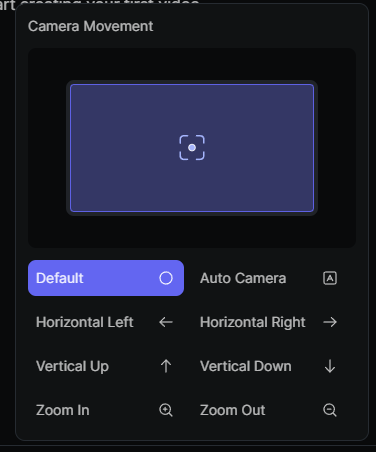
PixVerse V2.5 offers users the ability to manipulate camera movements with high precision, enhancing the overall quality of video production. This feature allows for various types of movements, including horizontal, vertical, roll, and zoom adjustments.
4K Resolution Upscaling
PixVerse V2.5 offers the capability to upscale the videos generated with this model. And they can be upscaled to 4K resolution, enhancing the visual quality significantly, making it suitable for professional use.
PixVerse V2 vs V2.5 vs V3 vs V3.5
YouTube Reviews of PixVerse V2.5
Other Reviews on X
New PixVerse V2.5 text to video ♥#PixVerse #aiart #aivideo #ai @PixVerse_ @RubyXiong1001 pic.twitter.com/071J6vPLkF — Dark Sorceress (@AubreyWitch) August 22, 2024
New PixVerse V2.5 text to video ♥#PixVerse #aiart #aivideo #ai @PixVerse_ @RubyXiong1001 pic.twitter.com/071J6vPLkF
New PixVerse V2.5 image to video ♥ #PixVerse #aiart #aivideo #ai@PixVerse_@RubyXiong1001 pic.twitter.com/Y0awPHGMYs — Dark Sorceress (@AubreyWitch) August 23, 2024
New PixVerse V2.5 image to video ♥ #PixVerse #aiart #aivideo #ai@PixVerse_@RubyXiong1001 pic.twitter.com/Y0awPHGMYs
New PixVerse V2.5 image to video ♥ #PixVerse #aiart #aivideo #ai@PixVerse_@RubyXiong1001 pic.twitter.com/VBQVRgkjj4 — Dark Sorceress (@AubreyWitch) August 22, 2024
New PixVerse V2.5 image to video ♥ #PixVerse #aiart #aivideo #ai@PixVerse_@RubyXiong1001 pic.twitter.com/VBQVRgkjj4
FAQs
How long does it take to generate a video using PixVerse V2.5?
Typically, PixVerse V2.5 can generate videos in approximately 1 minute for both text-to-video and image-to-video tasks, making it one of the faster options available in the market.
Can I create videos longer than 10 seconds?
PixVerse V2.5 supports video lengths of up to 10 seconds.
Is there a free version of PixVerse V2.5?
Yes, PixVerse V2.5 offers a free plan that includes limited access to its core features. But some advanced functionalities may require a paid subscription.
What resolutions are supported by PixVerse V2.5?
PixVerse V2.5 supports video outputs up to 1080p resolution. And its upscale tool can enhance the generated videos to 4K resolution, ensuring high-quality visuals suitable for various professional applications.
How does the platform handle copyright issues?
PixVerse V2.5 encourages users to upload only content they own or have rights to use. But its users are responsible for ensuring compliance with copyright laws regarding any uploaded materials.