TensorPix AI视频增强器
TensorPix 专注于增强现有视频素材,利用 AI 驱动的图像放大、防抖和帧率提升技术,将模糊的视频转化为更清晰、更流畅的画面。除了增强功能外, TikTV AI还可助您创作更高级的视频,它利用顶级模型和 TikTV 智能体生成完整的、可直接发布的视频。立即免费试用!
Key Feature
AI Video Quality Enhancement : Improve clarity, detail, and overall video quality with AI enhancement.AI Video Stabilization : Stabilize shaky footage and produce smooth, professional-looking video results.Video Call Enhancement : Enhance blurry video call recordings into clearer, more watchable footage.Old Video Restoration : Restore old or damaged videos with improved clarity and detail.AI Text & Image to Video Generation : Create short videos from text prompts or image inputs.Social Video Generator: TensorShots : Turn assets into ready-to-use social media videos in minutes.AI Video Compression & Format Optimization : Reduce file size while preserving quality for faster sharing and uploads.API Integration for Video Enhancement : Integrate AI video enhancement directly into your apps or workflows.
AI Video Quality Enhancement
Instead of tweaking settings one by one, TensorPix runs a full enhancement pass that lifts sharpness, reduces noise, and refines overall detail in one go. Even heavily compressed footage comes out cleaner and more defined.
That makes it easy to reuse older clips. A creator can refresh previously published content and make it look current without shooting anything new.

TensorPix focuses on improving footage, but its control stops at enhancement. TikTV.AI takes a broader approach; its AI video enhancer not only adjusts sharpness, contrast, and brightness but also upscaling to 4K while refining every frame for clarity and detail.
More importantly, it sits inside a full creation workflow, so enhanced clips can move directly into structured video generation instead of staying as isolated outputs.
AI Video Stabilization
Handheld footage often carries small jitters that distract from the story. TensorPix smooths those movements by analyzing motion frame by frame, while keeping the original framing largely intact.
So rather than re-editing everything, a vlogger can take a shaky walking clip and turn it into something steady enough to publish.

Video Call Enhancement
Meeting recordings rarely look great, especially in low light or weak connections. TensorPix sharpens faces and lifts clarity so conversations feel more presentable.
A remote team can take a recorded demo or webinar and clean it up before sending it to clients or turning it into internal documentation.

Old Video Restoration
Older footage tends to lose detail, pick up grain, and feel dated. TensorPix works to recover what’s still there, softening noise and bringing back visual clarity where possible.
For example, someone digitizing family tapes can turn barely watchable clips into something worth preserving and sharing.

AI Text & Image to Video Generation
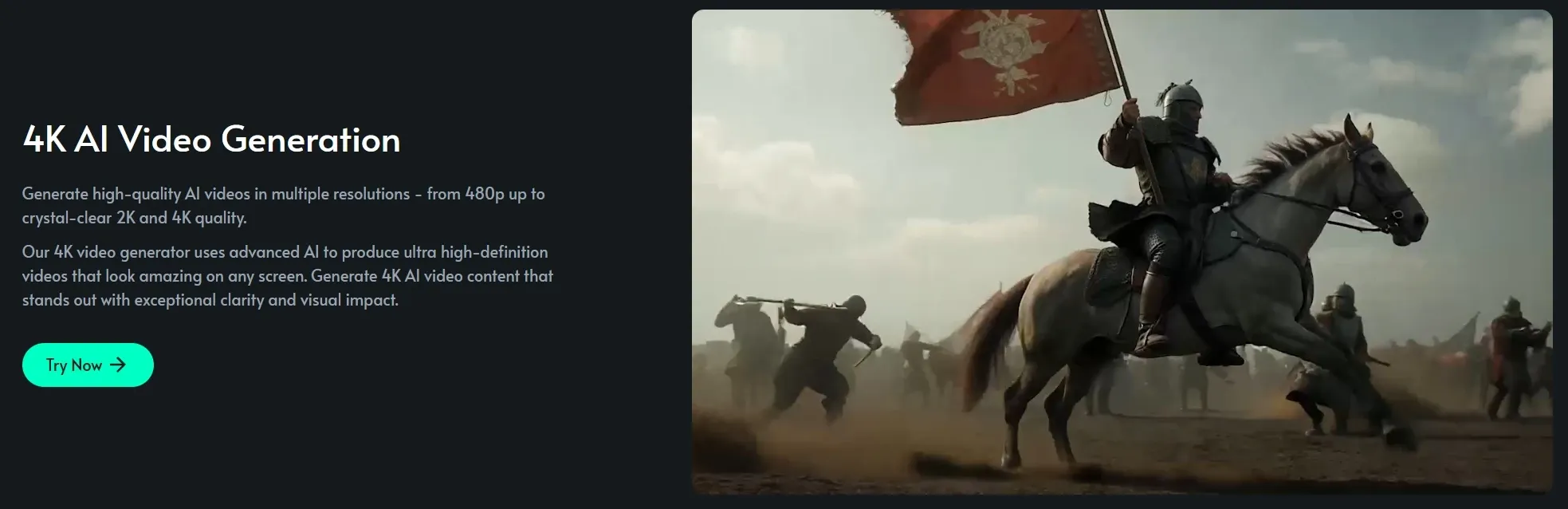
Beyond fixing footage, TensorPix also lets you create simple videos from text or images. It’s not built for complex storytelling, but it’s enough to get a visual draft moving quickly.
A marketer can test a rough concept by turning a product idea into a short clip, then deciding whether it’s worth developing further.

TensorPix offers a lightweight way to turn text or images into short clips, useful for quick drafts but limited in structure and control.
TikTV.AI goes further, with text to video and image to video that generate multi-scene videos with consistent subjects, flexible aspect ratios, and adjustable durations, all within a guided workflow.
Instead of rough previews, you get coherent, ready-to-use outputs that can move straight into campaigns or social posts without rebuilding the narrative.
Social Video Generator: TensorShots
Instead of editing, TensorPix assembles. You can upload your assets, and it arranges visuals, captions, and timing into a usable social video for you.
That’s particularly helpful for small teams. A seller can drop in product images and walk away with a basic promo video ready to post.
TensorShots helps assemble simple social videos from assets, but its outputs remain fairly basic. TikTV.AI goes further with offering a UGC video generator, creating creator-style videos with scripts, avatars, voiceovers, and structured scenes tailored for marketing use.

Instead of assembling clips, it produces complete, ready-to-post UGC ads that match real social formats, making it easier for brands to test hooks and launch campaigns without filming or manual editing.
AI Video Compression & Format Optimization
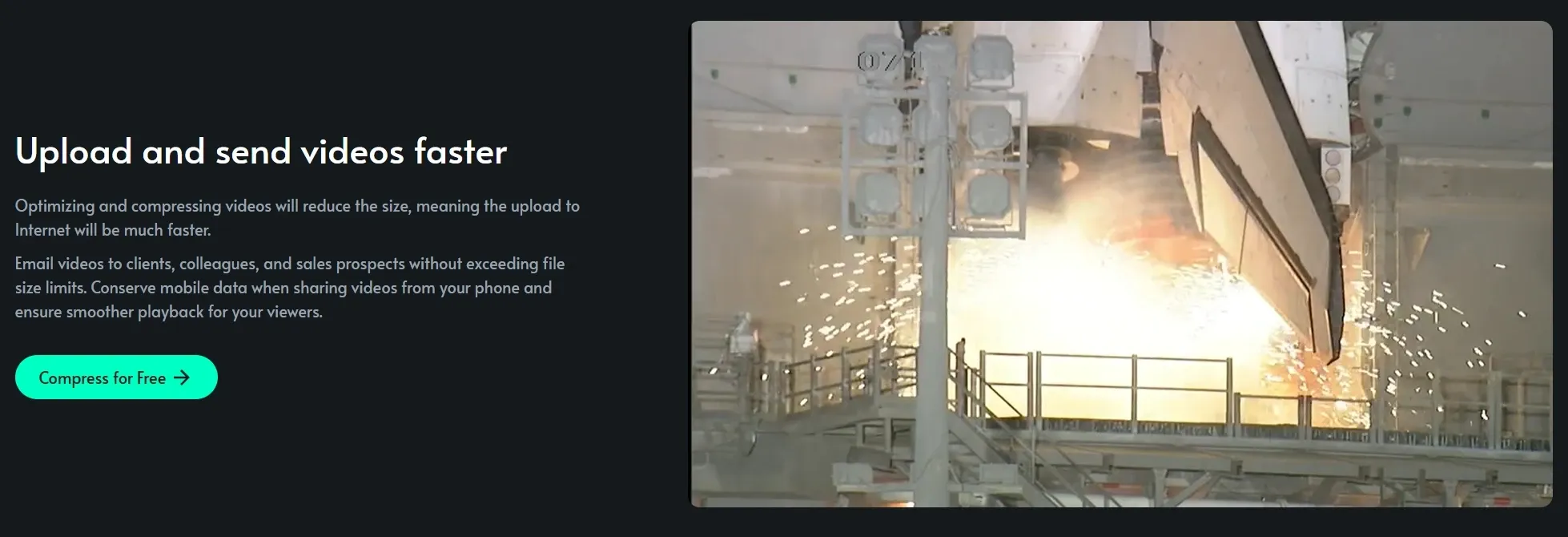
Large files slow everything down, from uploads to playback. TensorPix trims file size while holding onto as much visual quality as possible, making videos easier to distribute.
A social manager can quickly optimize content for different platforms without re-exporting multiple versions manually.

API Integration for Video Enhancement
For teams building products, TensorPix doesn’t have to stay a standalone tool. Its API allows enhancement features to run directly inside other platforms.
A video app, for instance, can offer built-in quality improvement so users never need to leave the workflow to fix their footage.
Who Uses TensorPix Most
Content Creators & YouTubers
Content creators can improve low-quality or older footage before publishing using Tensor Pix and reuse it across platforms.
Social Media Marketers
A marketer can enhance and compress product videos for faster posting on TikTok or Instagram.
Remote Teams & Educators
A team can enhance a blurry webinar recording before sharing it with clients or employees.
Videographers & Production Teams
A videographer can stabilize shaky clips from an event and deliver usable results to clients.
Everyday Users & Archivists
A family can enhance digitized home videos to preserve memories in clearer quality.
TensorPix vs Clipchamp vs TikTV.AI
| Feature | TensorPix | Clipchamp | TikTV.AI |
| Core Focus | AI enhancement & restoration | Video editing + basic enhancer | AI image & video creation + video agent workflows |
| Video Enhancement | AI upscale, stabilize, restore | Manual color, brightness, filters | AI-enhanced + generation-ready outputs |
| Editing Workflow | Minimal editing, enhancement-first | Timeline editor, drag & drop | AI image & video editor + various editing tools |
| AI Capabilities | Enhancement-focused AI | Light AI (subtitles, noise removal) | Full AI generation + multi-model |
| Templates / Assets | Limited | Templates, stock media, effects | 100+ Scenario-based use cases & effects |
| Agent Capability | No | No | Yes (TikTV Agent for full video creation) |
TensorPix stands out as a focused AI video enhancement tool, designed to improve existing footage through upscaling, stabilization, and restoration. Its workflow stays simple, with minimal editing and a clear emphasis on fixing video quality rather than creating content.
Compared to Clipchamp’s timeline-based editing and basic enhancers, TensorPix feels more technical but less flexible.
TikTV.AI, by contrast, not only includes video enhancement capabilities but also functions as a full AI image and video generation platform. It also offers agent-driven workflows to turn ideas into ready-to-post videos without any editing steps.
Is TensorPix Always Reliable
User feedback paints a balanced picture. Some users are impressed by how well TensorPix handles upscaling and smoothing, even on free credits, noting clean results without noticeable distortion.
Others, however, point out inconsistencies, especially with faces, where artifacts or unnatural details can appear.
Overall, TensorPix works well for general video enhancement, but output quality can vary depending on the footage and chosen model.
Where Does TensorPix Fit Today
TensorPix sits firmly in the “enhance-first” corner of the AI video space. Rather than trying to replace editing software or become a full creative suite, it focuses on one clear promise: improving what already exists.
Its tools are built around upscaling, stabilization, restoration, and optimization, making it especially useful for fixing imperfect footage quickly.
This narrow focus gives it speed and simplicity, but also limits its role in the broader creation process. It’s less about crafting videos from scratch and more about refining, rescuing, and preparing content for modern standards.
Why Consider TikTV.AI Instead of TensorPix
TikTV.AI is more than just a video enhancer. It’s an all-in-one AI image and video creation platform built to take you from idea to publish-ready content in one seamless flow.
It brings together multiple leading models in one place, including options like Seedance and Kling AI, so you can switch depending on whether you need speed, style, or higher visual quality. That flexibility matters when you’re testing ideas or scaling content across platforms.
Then there’s the TikTV Agent, which handles the heavy lifting. Drop in a prompt, link, or image, and it structures scenes, pacing, and visuals into a complete, ready-to-post video. No additional editing required.

On top of that, TikTV.AI offers 100+ scenario-based use cases. You can generate AI video news from a headline or create an AI music video with synced visuals in minutes, with scenes, pacing, and structure already handled.
The output isn’t just a draft, but a complete, ready-to-post video, turning everyday ideas into finished content without extra editing.
AI视频质量增强
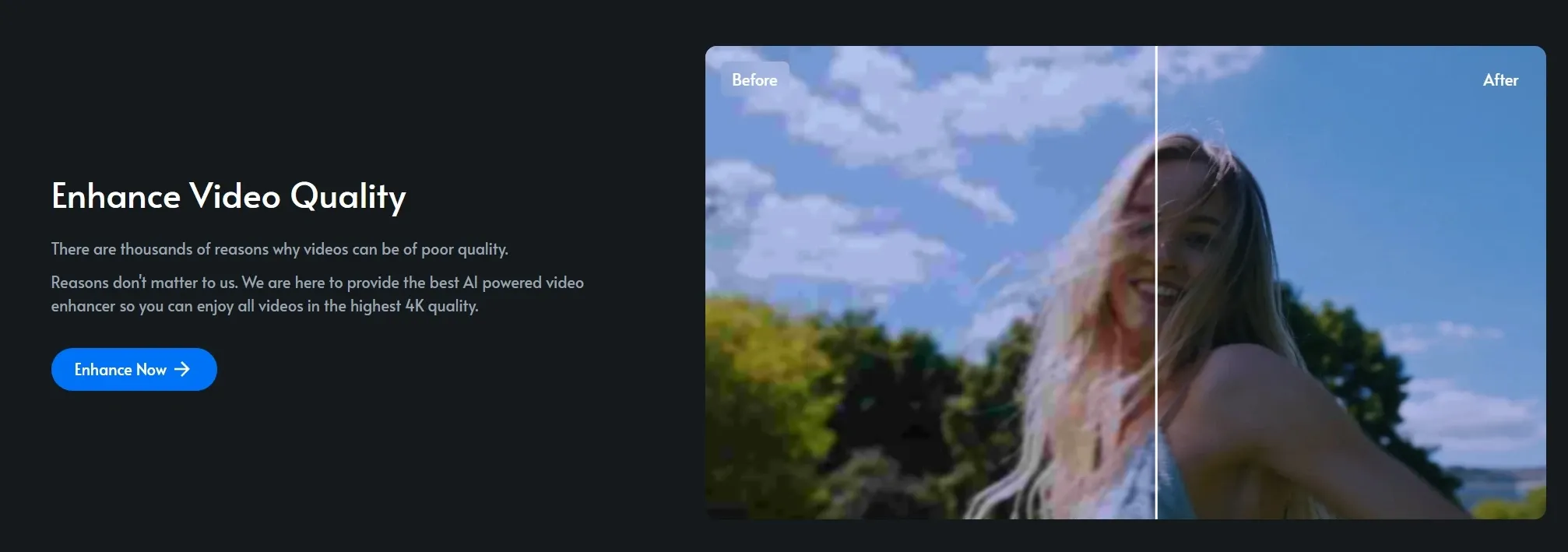
TensorPix 并非逐一调整设置,而是运行完整的增强流程,一次性提升锐度、降低噪点并优化整体细节。即使是高度压缩的视频素材,也能获得更清晰、更细腻的画面。
这样一来,重复利用旧片段就变得非常容易。创作者无需拍摄任何新内容,即可更新之前发布的内容,使其看起来更符合时代潮流。
TensorPix专注于提升视频质量,但它的控制仅限于增强。TikTV AI采取了更全面的方法;它的AI视频增强器不仅可以调整锐度、对比度和亮度,还能将视频提升至4K分辨率,同时优化每一帧,提升清晰度和细节。
更重要的是,它位于完整的创作工作流程中,因此增强后的片段可以直接进入结构化视频生成流程,而不是作为孤立的输出。
AI视频防抖
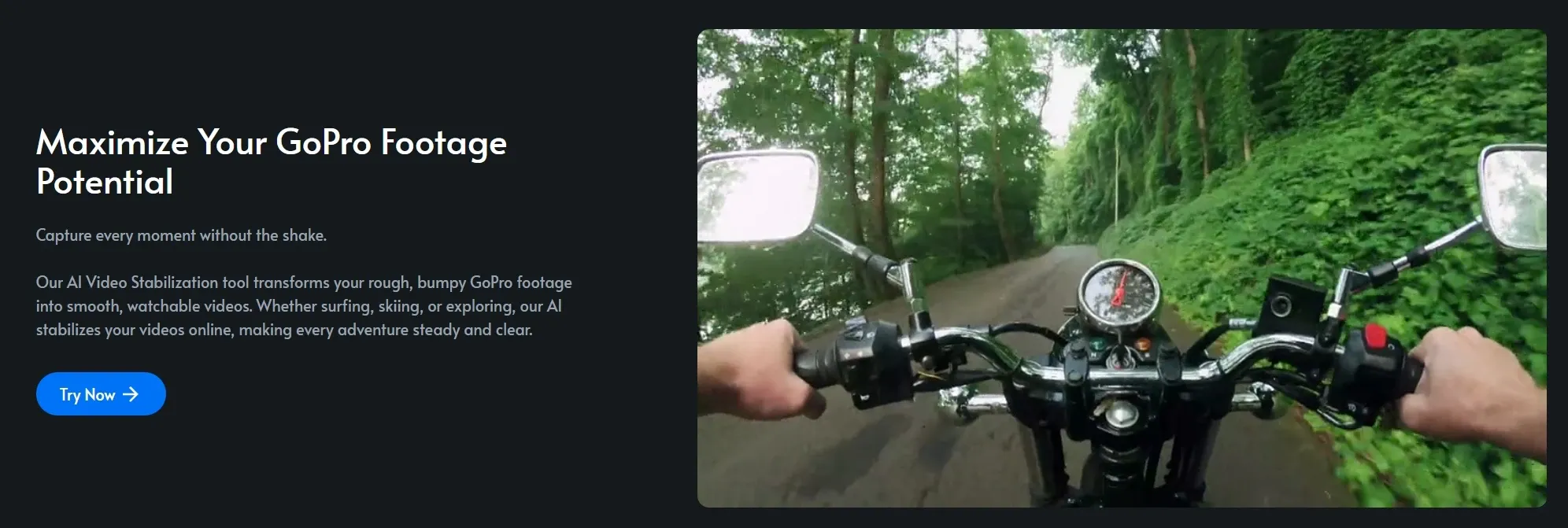
手持拍摄的画面常常会出现轻微抖动,影响故事叙述。TensorPix 通过逐帧分析运动来平滑这些抖动,同时基本保持原始画面构图不变。
因此,与其重新剪辑所有内容,视频博主可以将一段抖动的行走视频剪辑成足够稳定的视频进行发布。
视频通话增强
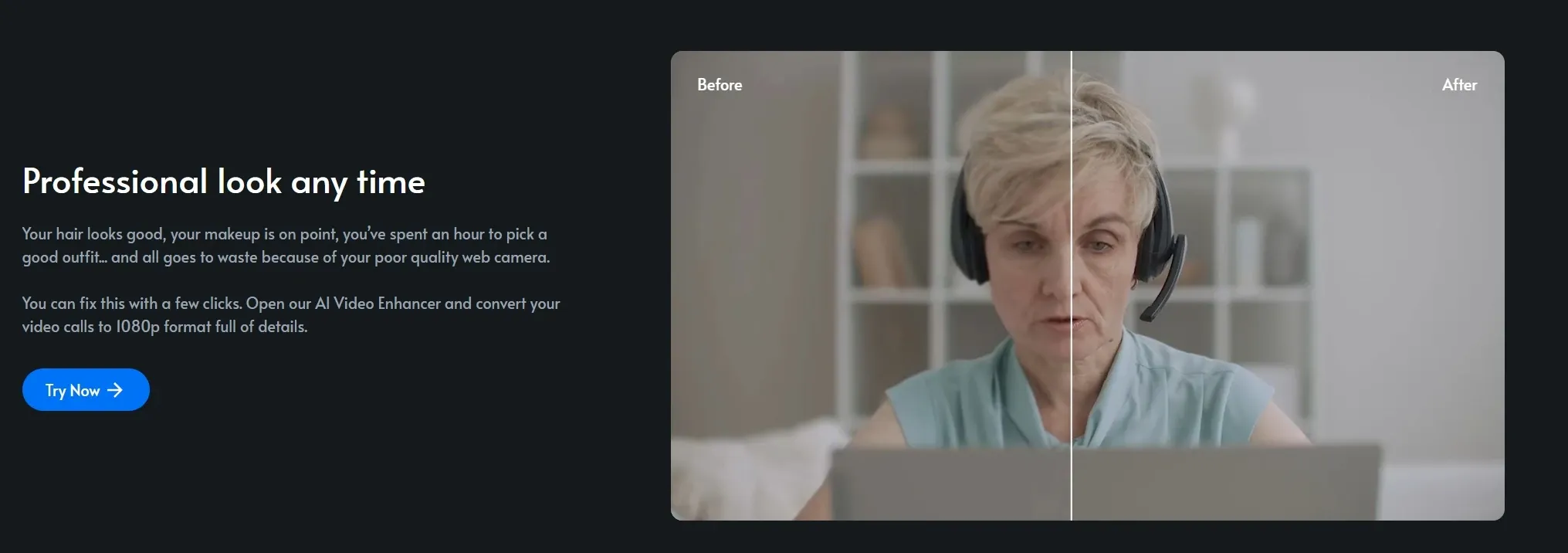
会议录像的效果通常不尽如人意,尤其是在光线不足或网络连接不稳定的情况下。TensorPix 可以锐化人脸并提升清晰度,让对话看起来更加清晰自然。
远程团队可以对录制的演示或网络研讨会进行整理,然后再将其发送给客户或转化为内部文档。
老视频修复
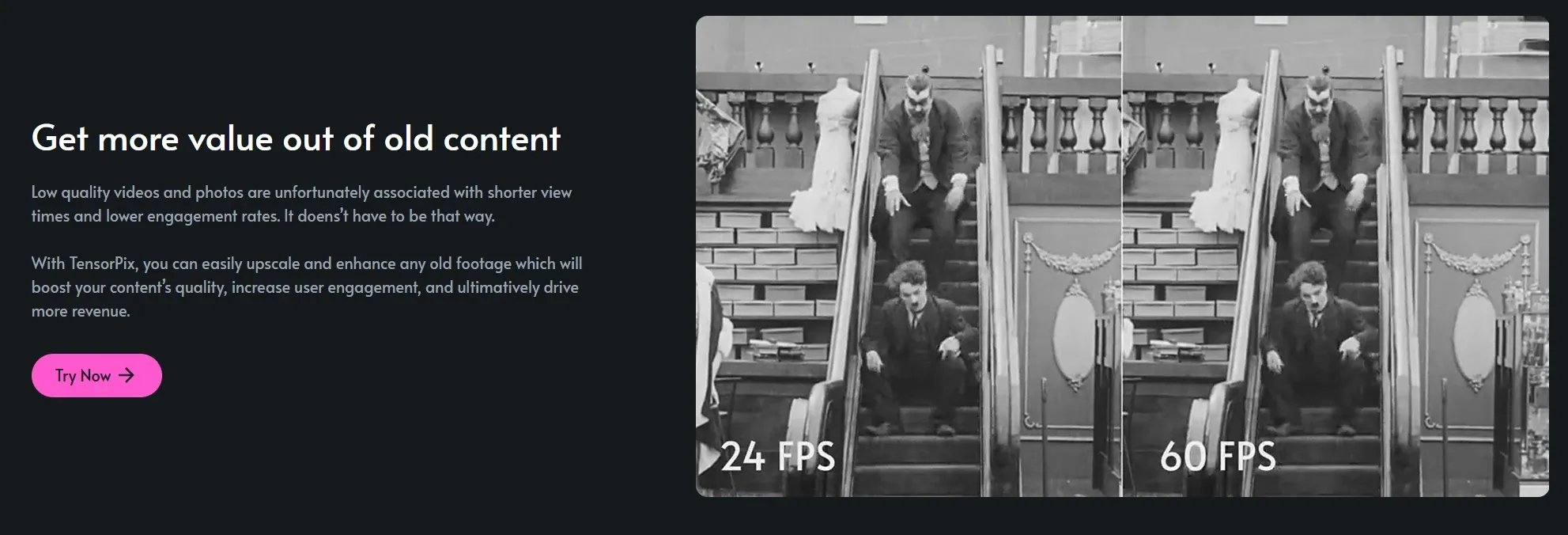
老旧的视频素材往往会丢失细节、增加噪点,显得过时。TensorPix 致力于恢复视频中仍然存在的细节,尽可能地降低噪点并恢复画面清晰度。
例如,有人在把家庭录像带数字化时,可以把画质模糊、几乎没法看的老旧片段,修复成值得珍藏和分享的清晰影像。
AI文本和图像到视频的生成
除了修复视频素材,TensorPix 还允许你用文本或图像创建简单的视频。它并非为复杂的叙事而设计,但足以快速制作视觉草稿。
营销人员可以将产品创意制作成短片来测试一个粗略的概念,然后决定是否值得进一步开发。
TensorPix 提供了一种轻量级的方法,可以将文本或图像转换为短片,适用于快速草稿,但在结构和控制方面存在局限性。
TikTV AI更进一步,通过文本转视频和图像转视频功能,生成具有一致主题、灵活宽高比和可调节持续时间的多场景视频,所有这些都在引导式工作流程中完成。
您得到的不是粗略的预览,而是连贯、可直接使用的输出,无需重新构建叙事,即可直接用于营销活动或社交媒体帖子。
社交视频生成器:TensorShots
TensorPix 不进行编辑,而是进行组装。上传您的素材,它会将视觉效果、字幕和时间轴排列成可用的社交视频。
这对于小型团队来说尤其有用。卖家只需上传产品图片,就能得到一个可以直接发布的基本宣传视频。
TensorShots 可以帮助用户利用素材制作简单的社交视频,但其输出效果仍然比较基础。TikTV AI更进一步,提供UGC 视频生成器,能够创建带有脚本数字人、配音和结构化场景的创作者风格视频,专为营销用途量身定制。
它不进行片段剪辑,而是生成完整的、可直接发布的UGC广告,这些广告与真实的社交媒体格式相匹配,使品牌能够更轻松地测试广告噱头并开展广告活动,而无需拍摄或手动编辑。

AI视频压缩与格式优化
大文件会拖慢所有速度,从上传到播放都是如此。TensorPix 能够在尽可能保持视觉质量的同时减小文件大小,使视频更易于分发。
社交媒体经理可以快速优化不同平台的内容,而无需手动重新导出多个版本。
用于视频增强的 API 集成
对于产品开发团队而言,TensorPix 不必始终作为独立工具运行。其 API 允许增强功能直接在其他平台内运行。
例如,视频应用程序可以提供内置的质量改进功能,这样用户就无需离开工作流程来修复视频素材。
谁最常使用 TensorPix?
发布前,请先提升低质量或老旧视频素材的质量。创作者可以将 720p 视频片段提升至 4K 分辨率,并在不同平台上重复使用。
升级视觉效果以符合平台标准并提升用户互动。营销人员可以优化和压缩产品视频,以便更快地发布到 TikTok 或Instagram上。
清理录制的会议和培训资料。团队可以先对模糊的网络研讨会录像进行增强处理,然后再与客户或员工分享。
无需重拍即可修复瑕疵视频。摄像师可以稳定活动现场的抖动片段,并向客户提供可用的视频素材。
修复旧视频或个人视频,获得更佳观看体验。家人可以提升数字化家庭视频的质量,以更清晰的画质保存珍贵回忆。
TensorPix如今的定位是什么?
TensorPix 在 AI 视频领域坚定地秉持着“增强优先”的理念。它并不试图取代剪辑软件或成为一套完整的创意套件,而是专注于一个明确的目标:改进现有内容。
它的工具围绕放大、稳定、修复和优化而构建,因此特别适用于快速修复不完美的视频素材。
这种专注赋予了它速度和简便性,但也限制了它在更广泛的创作过程中的作用。它与其说是从零开始制作视频,不如说是对内容进行提炼、修复和准备,使其符合现代标准。
为什么选择TikTV AI而不是 TensorPix
TikTV AI不仅仅是一个视频增强器。它是一个一体化的 AI 图像和视频创作平台,旨在让您在一个无缝流程中从构思到发布内容。
它将多种领先的模型整合在一起,包括Seedance和Kling AI等选项,您可以根据速度、风格或更高的视觉质量需求进行切换。这种灵活性在您测试创意或跨平台扩展内容时至关重要。
此外,还有TikTV 智能体 ,它能帮你搞定繁重的工作。你只需输入提示、链接或图片,它就能自动构建场景、调整节奏、制作视觉效果,最终生成一个完整的、可以直接发布的视频。无需任何额外的剪辑。
此外, TikTV AI还提供 100 多个基于场景的应用案例。您可以根据标题生成AI 视频新闻,或在几分钟内创建带有同步视觉效果的AI 音乐视频,场景、节奏和结构均已预先处理好。
最终输出的不是草稿,而是完整的、可直接发布的视频,无需额外编辑即可将日常想法转化为成品内容。

在TikTV AI上探索更多 AI 视频生成器
常见问题解答
TensorPix是什么?
TensorPix 是一款在线 AI 视频和图像增强工具,旨在提升现有视频素材的质量。其主要优势包括 4K 超高清放大、AI 防抖、帧率提升、老旧视频修复以及基于云端的快速处理,可在数分钟内呈现效果。它专为希望修复和提升视频质量而无需安装软件的用户而设计。
TensorPix 可以增强哪些类型的视频?
TensorPix 可完美处理各种类型的视频,包括社交媒体短片、老旧的家庭录像、视频通话录像以及 AI 生成的视频素材。它尤其适用于低分辨率或压缩文件。
TensorPix 可以从零开始创建视频吗?
TensorPix 具备基本的文本和图像转视频功能,但其核心优势在于增强而非完整的视频制作。如果您希望根据想法或链接生成完整、结构化的视频, TikTV AI等平台通常更合适,因为它们专注于提供可直接发布的完整内容,而不仅仅是原始视频片段。
TensorPix 适合用于社交媒体内容吗?
是的,它可以通过提升视频质量和减小文件大小来优化视频,使其更适合社交平台。但是,它无法深入处理内容结构、故事叙述或特定使用场景下的格式,而这些对于创建高转化率的帖子至关重要。
TensorPix有哪些局限性?
TensorPix 最适合增强现有视频素材,但它并非为完整的视频创作工作流程而设计。它缺乏结构化的叙事功能、高级场景生成功能以及可直接发布的输出格式。对于那些想要超越视频修复,真正创作完整内容的用户来说,像TikTV AI这样的工具可能更实用,因为它们在一个流程中即可完成视频生成和最终输出。