Vmaker AI视频生成器
在Animaker生态系统的支持下, Vmaker AI到 2024 年 12 月预估营收达到 55 万美元(约合 4600 万卢比)。它凭借首创的 AI 语音视频编辑器脱颖而出,该编辑器能够处理从录制到 4K 后期制作的所有环节。它适用于教程、演示和快速视频剪辑。但如果您想要原创场景、更鲜明的风格和更完善的成品, TikTV AI是更好的选择。它将顶级模型、语音虚拟形象、编辑工具和后期制作工作流程整合于一体。立即免费试用TikTV AI !
Key Features of Vmaker AI
AI Talking Head Generation: Create pro-level talking head videos from text with 100+ ultra-realistic AI avatars.Auto-Captioning & Subtitle Suite: Automatically generate precise subtitles in 35+ languages with 10+ viral animation styles.AI Video Enhancer & Cleanup: Instantly boost video quality to 4K resolution and remove unwanted watermarks easily.Long-to-Short Repurposing: Turn your long-form recordings into bite-sized, viral social media clips.
AI Talking Head Generation
Vmaker AI lets you bring any script to life with over 100 lifelike AI avatars featuring 99% lip-sync accuracy. You don’t need a camera, a studio, or a professional lighting setup; just input your text, and the Vmaker AI handles the performance. It’s the ultimate tool for educators and marketers who want to look and sound professional without the high costs of traditional video production.
| Prompt | Output Video |
| Generate a café scene with a young woman smiling and presenting a coffee cup. Add natural English TTS narration: "Welcome to our café, every cup is crafted with care," with natural speed and a relaxed, cheerful tone. Include soft jazz AI background music synchronized with her actions. |
Auto-Captioning & Subtitle Suite
Vmaker AI’s subtitle feature automatically generates captions in seconds, supporting over 35 languages and 100+ translations. With various trendy animation styles to choose from, you can make your content more accessible and engaging for a global audience, significantly boosting your watch time and brand authority.

AI Video Enhancer & Cleanup
If your footage looks a bit dull or blurry, Vmaker AI’s cleanup tools are literal life-savers. The AI video enhancer analyzes every frame to sharpen details and fix lighting, while the watermark remover eliminates distractions with one click. You can upscale old clips to stunning 4K or swap out messy backgrounds for clean settings, ensuring your final output always meets high-quality industry standards.
| Input Video | Output Video |
Long-to-Short Repurposing
Vmaker AI’s viral style library identifies the most engaging hooks in your long-form videos and automatically reformats them into TikToks, Reels, or Shorts. It applies trending transitions, zooms, and layouts, allowing creators to grow their channels 3X faster by posting consistent, high-energy content across all platforms without the technical stress of manual editing.

What Gives Vmaker an Advantage Over Other AI Video Generators
Integrated 4K Screen Recorder with AI Auto-Editing
Vmaker’s unique moat is its All-in-One Capture-to-Edit workflow. It is the only AI generator that includes a professional 4K screen and webcam recorder. Once you finish recording a tutorial or demo, the AI automatically "cleans" the footage—removing long silences and filler words (ums/ahs)—so the editor opens with a polished draft already prepared.

Intelligent Information Masking (AI Blur Tool)
For software tutorials and corporate demos, protecting sensitive data is a major pain point. Vmaker AI features an Intelligent Information Masking tool. Instead of manually frame-by-frame blurring, you can select specific elements—such as emails, passwords, or faces—and the AI will track and blur them automatically throughout the entire video.
In-Video Interactive CTAs and Lead Generation
Because Vmaker acts as both a generator and a Video Hosting Platform, it allows for "Post-Production Interactivity." You can insert Call-to-Action (CTA) buttons directly into the video player. Viewers can click a button to "Book a Demo" or "Download a PDF" while the video is playing. This turns a static video into a high-converting marketing funnel, a feature that pure AI generation tools (which only provide a file download) do not offer.

Unified Team Brand Governance & Shared Workspace
Vmaker is built for large organizations through its Enterprise Workspace. It allows administrators to set "Brand Governance" rules. Once configured, every screen recording or AI video generated by any team member automatically applies the company’s unified Intro/Outro, brand watermarks, and specific color palettes.
Vmaker AI vs. VEED.IO vs. CapCut
| Dimension | Vmaker AI | VEED.IO | CapCut |
| Production Origin | The Screen Capture: Native 4K recording studio. | The Editor's Timeline: Cloud-based file manipulation. | The Mobile Template: Consumer-driven effect suite. |
| Tutorial Logic | Focus & Zoom: AI auto-zooms on key screen actions. | Overlay & Static: Manual placement of text/graphics. | Stickers & Transitions: High-energy social effects. |
| Data Protection | Surgical Blur: Tracks and masks sensitive screen info. | Collaborative Review: Public sharing with passwords. | Public Distribution: Focused on high-visibility sharing. |
| Primary Value | Efficiency: Turning 30m recordings into 5m demos. | Creativity: Adding aesthetic flair to raw footage. | Engagement: Making videos "fun" for TikTok/Reels. |
Explore our detailed Vmaker AI review.
Vmaker AI的主要特点
会说话的数字人视频生成:利用 100 多个超逼真的 AI 虚拟形象,通过文本生成专业级的人物访谈视频。
自动字幕和字幕套件:自动生成 35 种以上语言的精确字幕,并支持 10 多种爆款动画风格。
AI视频增强与清理:立即将视频质量提升至 4K 分辨率,并轻松去除不需要的水印。
长篇转短视频:将您的长篇录制内容转化为易于传播的短视频,在社交媒体上迅速走红。
会说话的数字人视频生成
Vmaker AI拥有超过 100 个栩栩如生的 AI 虚拟形象,口型同步准确率高达 99%,让您轻松将任何脚本赋予生命。您无需摄像机、摄影棚或专业灯光设备;只需输入文本, Vmaker AI即可完成视频生成。对于希望以较低的成本打造专业形象和声音的教育工作者和营销人员而言,它是理想之选。
自动字幕和字幕套件
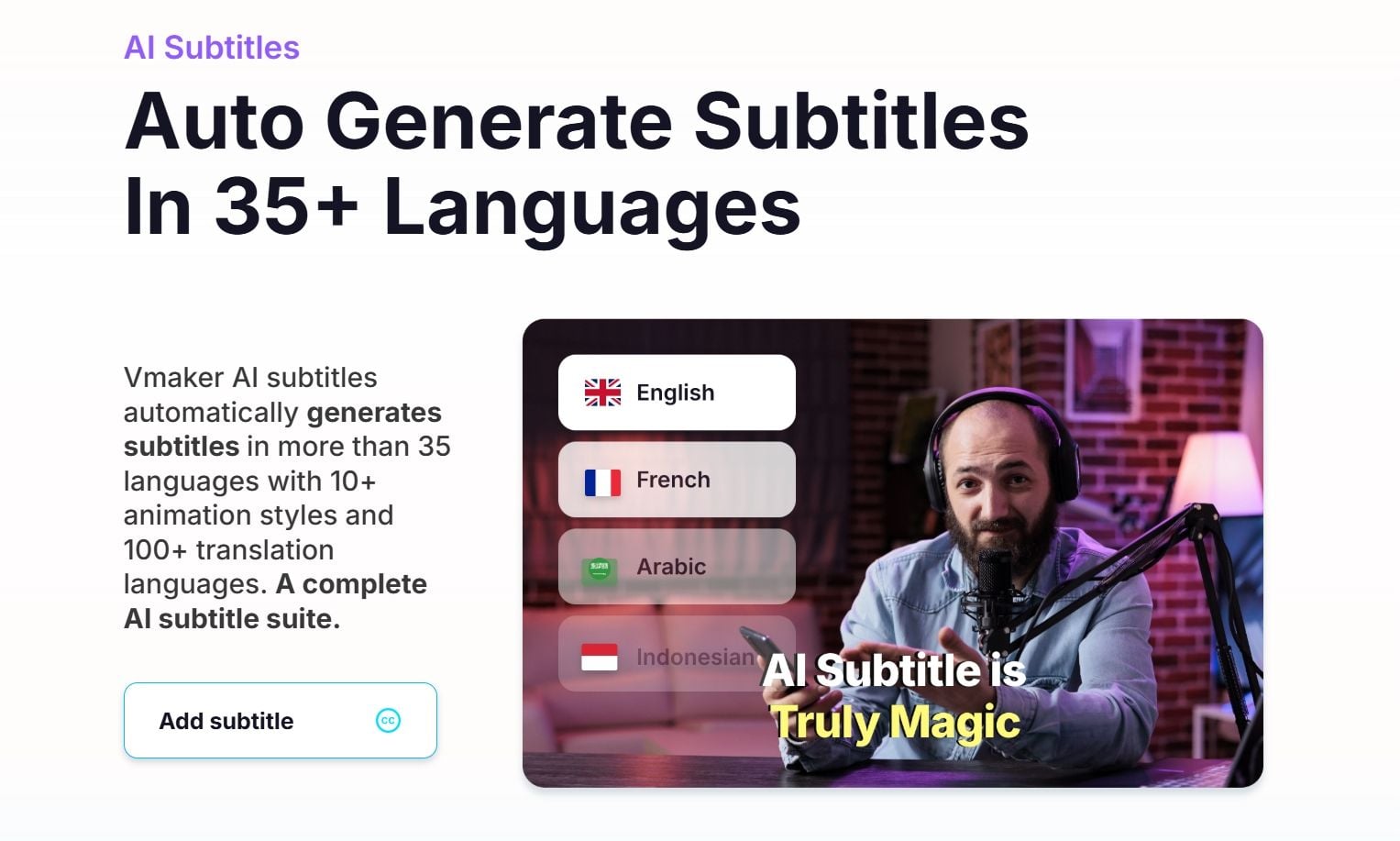
Vmaker AI 的字幕功能可在数秒内自动生成字幕,支持超过 35 种语言和 100 多种翻译。多种流行动画风格可供选择,让您的内容更易于全球观众理解和欣赏,显著提升观看时长和品牌影响力。
AI视频增强与清理
如果您的视频素材看起来有些暗淡或模糊, Vmaker AI 的清理工具绝对是您的救星。这款 AI 视频增强器会分析每一帧,锐化细节并修复光线,而水印去除器只需单击一下即可消除干扰元素。您可以将旧片段提升至惊艳的 4K 分辨率,或将杂乱的背景替换为干净的场景,确保最终输出始终符合高品质的行业标准。
长篇转短视频
Vmaker AI 的爆款风格库能够识别长视频中最具吸引力的亮点,并自动将其重新格式化为 TikTok、Reels 或 Shorts 短视频。它应用了流行的转场、缩放和布局,让创作者无需手动编辑,即可在所有平台上发布持续、充满活力的内容,从而以三倍的速度提升频道增长。
Vmaker相较于其他 AI 视频生成器有哪些优势?
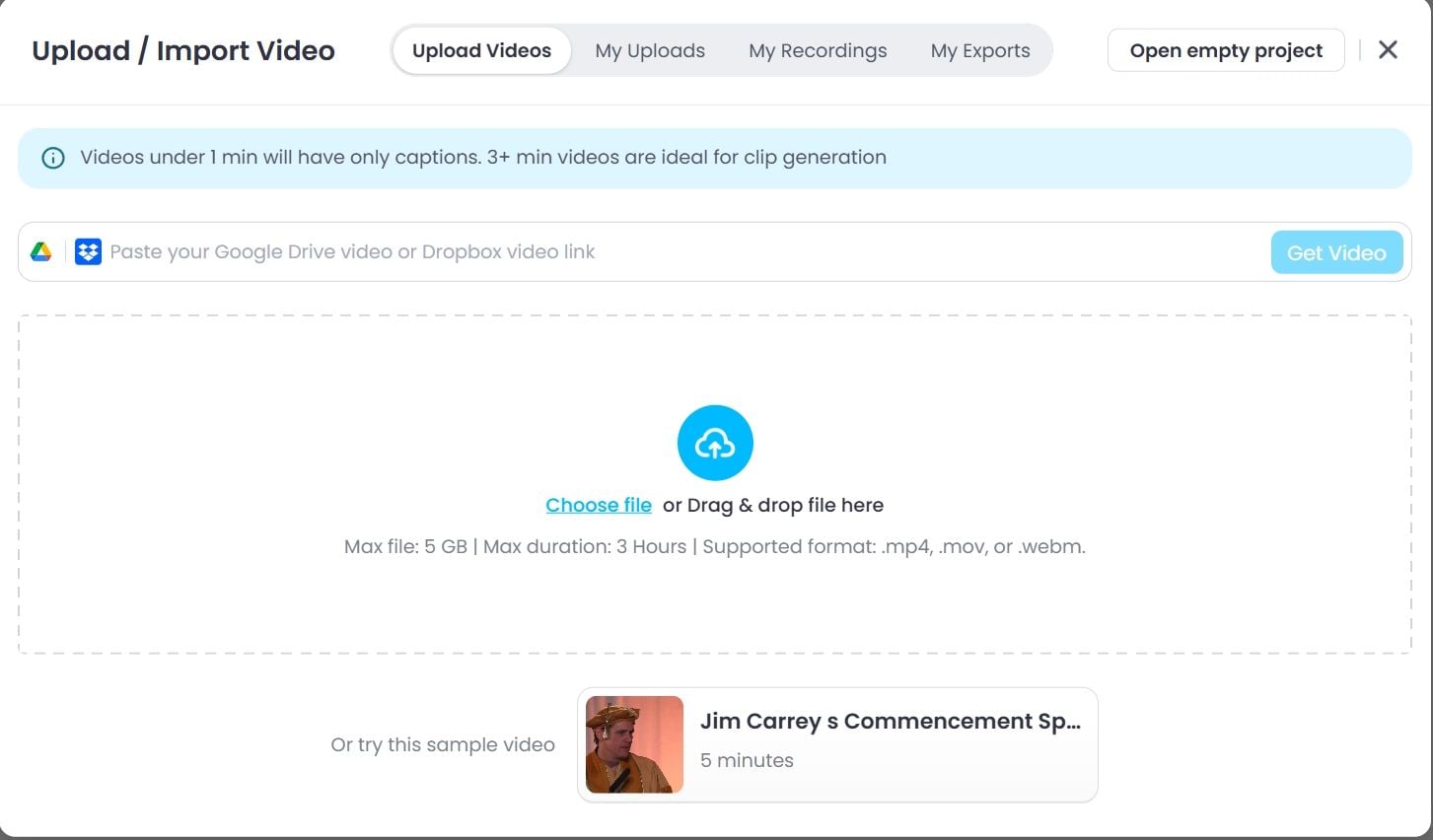
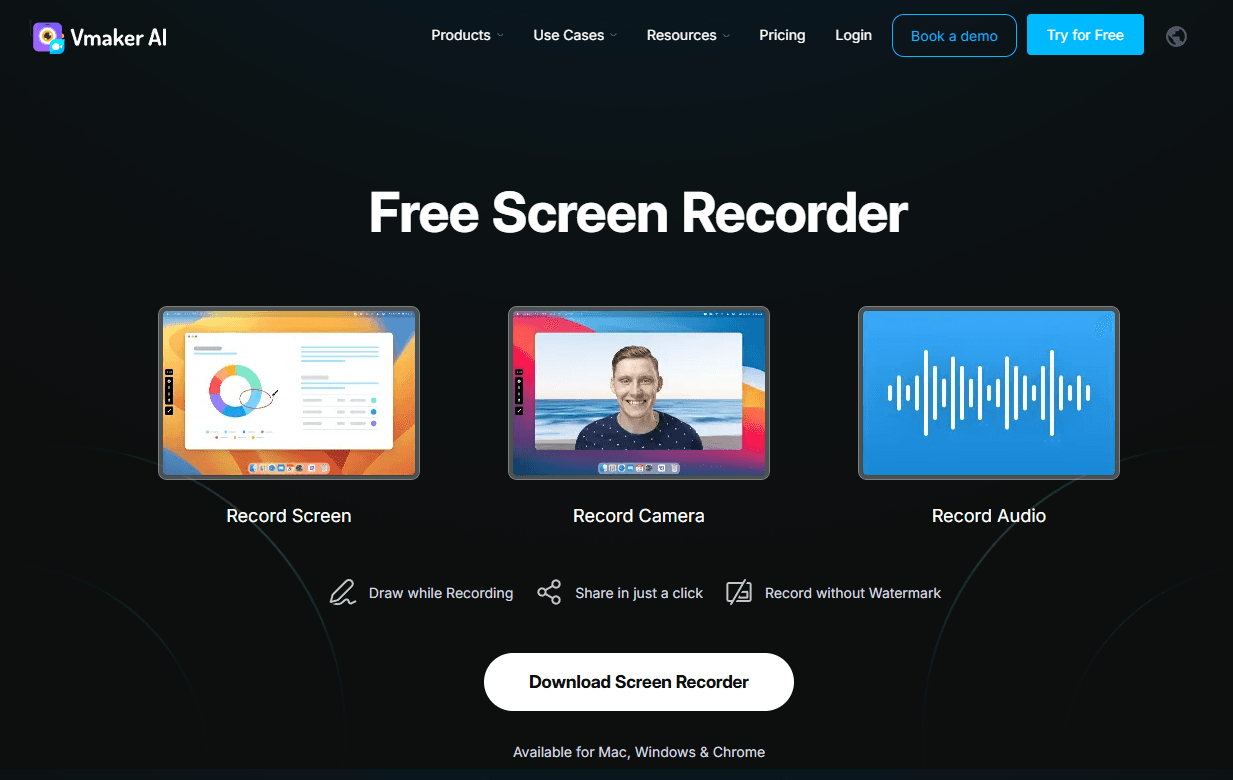
Vmaker 的独特优势在于其一体化的拍摄到剪辑工作流程。它是唯一一款集成了专业 4K 屏幕和网络摄像头录制功能的 AI 生成器。录制完教程或演示视频后,AI 会自动“清理”素材——去除长时间的静音和语气词(例如“嗯”、“啊”)——这样,剪辑师就能直接使用一个已经准备就绪的精修版本。
对于软件教程和企业演示而言,保护敏感数据是一个主要难题。Vmaker AI配备了智能信息遮蔽工具。无需手动逐帧模糊处理,您可以选择特定元素(例如电子邮件、密码或人脸),AI 将自动跟踪并模糊处理整个视频中的这些元素。
由于Vmaker既是视频生成器又是视频托管平台,因此它支持“后期制作交互”。您可以直接在视频播放器中插入行动号召 (CTA) 按钮。观看者可以在视频播放过程中点击按钮“预约演示”或“下载 PDF”。这使得静态视频转变为高转化率的营销漏斗,而纯粹的 AI 生成工具(仅提供下载)则不具备此功能。
Vmaker专为大型组织打造,其企业级工作空间允许管理员设置“品牌管理”规则。配置完成后,任何团队成员生成的每个屏幕录制视频或 AI 视频都会自动应用公司统一的片头/片尾、品牌水印和特定配色方案。
Vmaker AI 的用户反馈
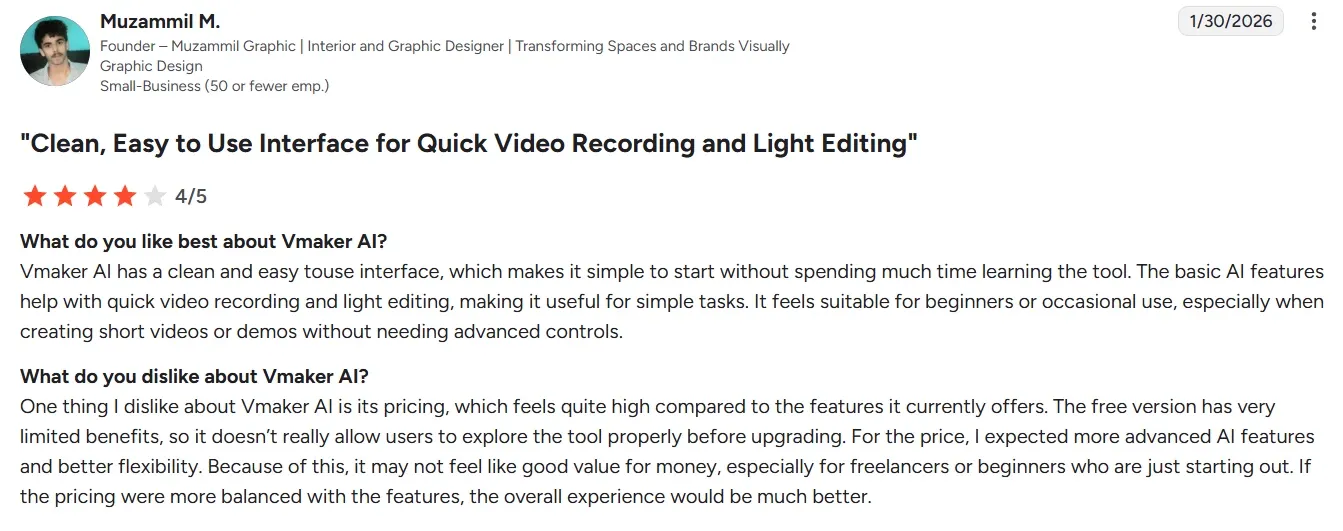
许多用户喜欢Vmaker AI的便捷性。他们表示, Vmaker AI帮助他们取代冗长的电子邮件,减少不必要的会议,并通过视频更清晰地阐述想法。
许多用户也喜欢它的AI字幕、精彩片段创建和长短视频转换功能。这些工具让网络研讨会、演示和原始录像更容易转化为可在多个渠道重复使用的素材。
然而,这些批评之声不容忽视。一些用户反映,该工具存在处理速度慢、上传失败、录制卡顿和输出延迟等问题。这些问题会大大降低人工智能视频工具的价值,尤其是在用户需要快速交付成果的情况下。
一些评论者还提到,精彩片段的长度不符合要求,或者需要额外的人工清理。
一些评论者还希望获得更深层次的专业控制权。他们要求提供品牌定制选项、音轨编辑功能,以及更流畅的桌面或浏览器性能。
用户为何选择TikTV AI?
已准备就绪的智能体工作流程
TikTV 智能体可以将想法、图片、文本或网址转换成成品视频。无需编辑,即可直接将结果发布到任何您想要的地方。
更灵活的模型
TikTV AI为您提供多款领先模型,包括Veo 3.1和Happy Horse 1.0 。您可以根据自己的喜好选择更高品质或更流行的模型。
100 多个真实工作流程应用程序
TikTV AI提供针对多种应用场景的专用应用程序。从名人视频到预告片,您总能找到合适的应用,并更快地获得结果。
在TikTV AI上探索其他强大的 AI 视频生成器
常见问题解答
Vmaker AI是什么?
Vmaker AI是一款一体化 AI 视频编辑器,专为需要快速将创意转化为高质量视频内容的专业人士而设计。它结合了数字人、自动字幕和 AI 增强功能,可帮助您以远低于手动编辑所需的时间生成营销、培训和社交媒体视频。
Vmaker AI字幕工具支持多少种语言?
目前, Vmaker AI支持 35 种以上语言的自动字幕生成。您还可以将这些字幕翻译成 100 多种不同的语言,从而轻松实现内容的本地化,面向全球市场。
哪些人应该使用Vmaker AI?
Vmaker AI非常适合创作者、教育工作者和专业人士,能够快速将原始素材转化为令人惊艳的视频。无论是制作爆款YouTube转场还是企业培训,这款 AI 视频生成器都能让您轻松上手,无需任何学习成本。只需几分钟即可添加字幕和专业特效——无需任何剪辑经验。
Vmaker的AI虚拟形象有多逼真?
Vmaker AI虚拟形象拥有 99% 的唇形同步准确率,能够呈现令人印象深刻的自然表演,非常适合专业营销和教育内容。
我可以将Vmaker视频用于商业用途吗?
是的。Vmaker AI授予您对所生成的每个视频的完整商业使用权,包括广告、营销活动和社交媒体变现内容。无论您是免费试用用户还是付费订阅用户,此专业用途许可均适用。